SHIPPED
Alpha Design System
From scratch arsenal for the new age of online tax management in Indonesia.
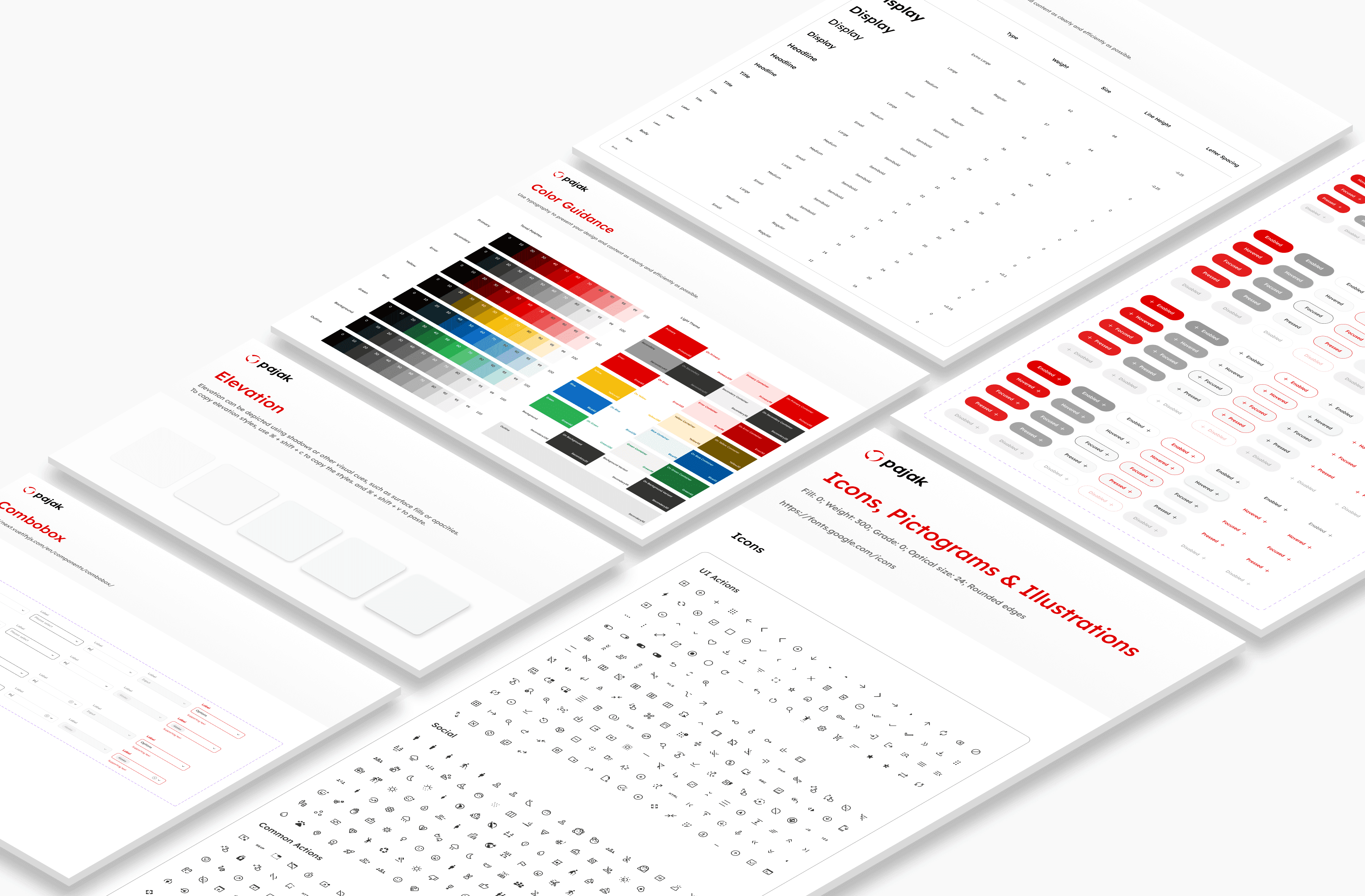
The Alpha Design System modernized and integrated Onlinepajak's outdated design language after 8 years. Previously, designers and developers worked separately, causing inconsistent brand visualizations. This system provides reusable components and guidelines to ensure all products adhere to the same design standards & consistency.
Skills
Design system UI Design
Role
Senior Product Designer
Timeline
1 year 5 months
Company
OnlinePajak
The challenge
“How can we create consistency between the different products under OnlinePajak's umbrella, and ensure developers produce aligned work efficiently?”

Kamil Gottwald, VP of Design
The process
Being a single I/C for the design system was a challenge on its own. I knew I had to go about this from implementation rather than ideation. This meant that I had to create a system that developers could easily plug-and-play rather than creating a non-feasible product that would require more effort to switch into.
As such, from my experience working with Google, I employed the atomic approach of Material Design combined with it's sister accompaniment of Vuetify to ensure that developers had reference code to make the components come alive. Essentially they had a base, and needed to make minor styling adjustments to that to be able to use it directly.
Component prioritization
A gritty workshop was conducted between myself and the VP of design to establish the future plans of each product prong. I tackled this by listing out the full list of components for the design system on Jira and then prioritising them based on projected frequency of use and by which teams.
Typography
Typography is a critical component of any design system. We chose Lexend as our primary typeface due to its unique design that enhances reading speed and comprehension while reducing eye strain. Our clear guidelines for font sizes, line heights, and letter spacing ensure consistency across all products, improving the reading experience and setting us apart from competitors. To optimize the reading experience, it is important for us to adjust the reading environment for the reader. Wide lines of text pose challenges and hinder focus. Although there is no definitive measure for the perfect text width, aiming for 60 to 100 characters per line (including spacing) is a beneficial goal. By setting an optimal line length, content becomes more digestible and easier to comprehend.
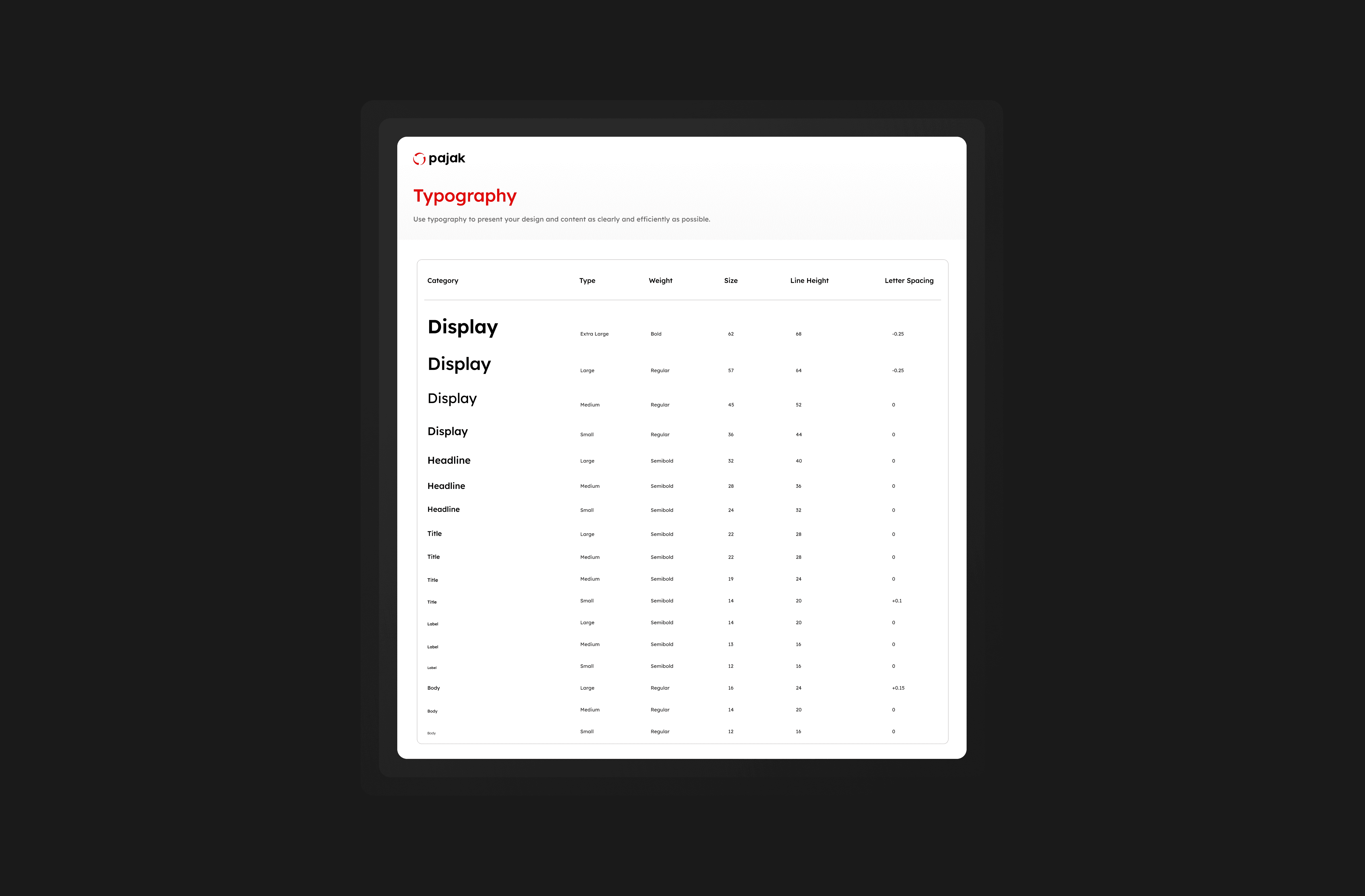
The Lexend typography stack, mapped to relevant html formats
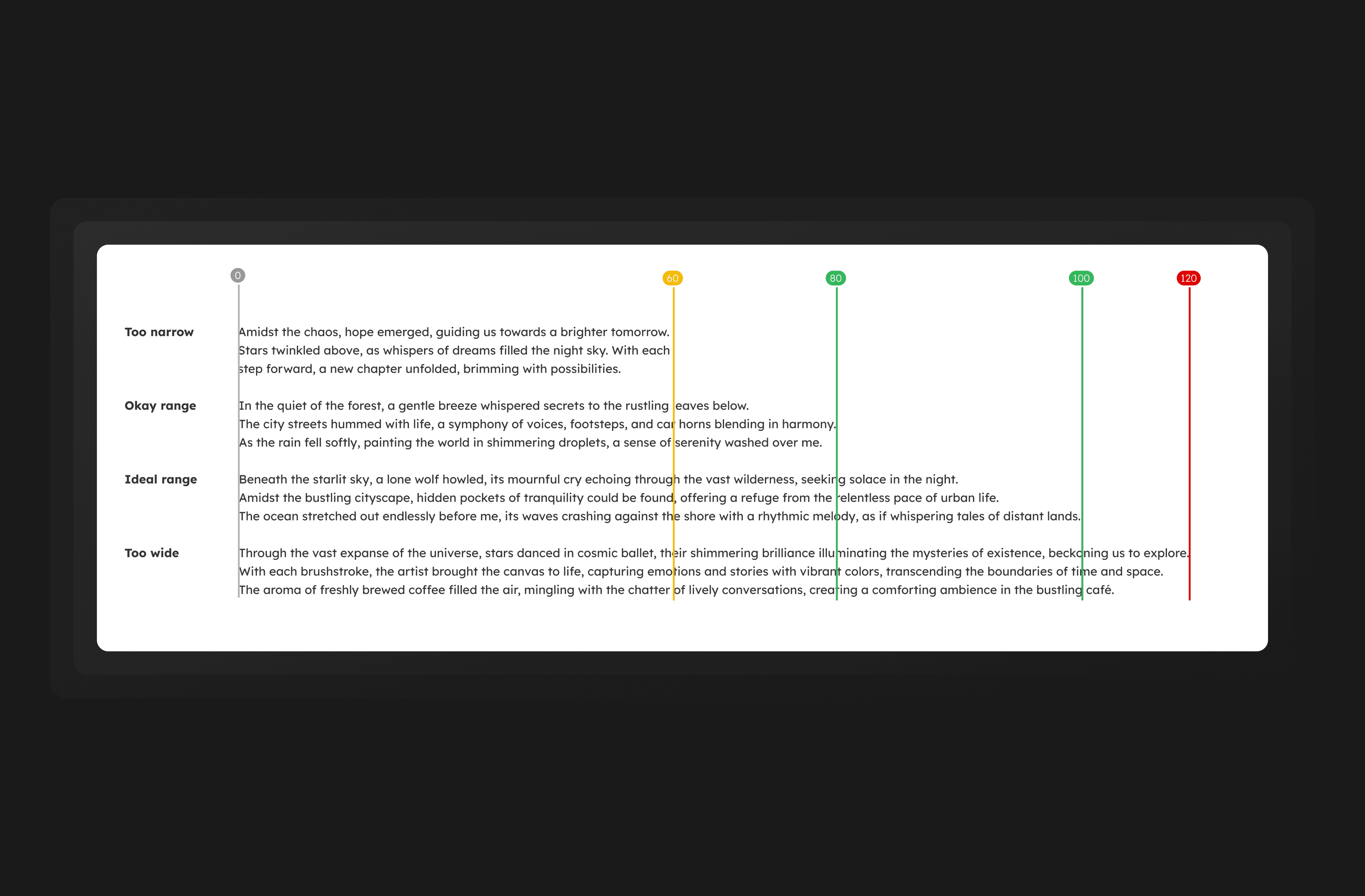
Paragraph width breakages for content team guidance
Color guidance
Our color section is critical to creating a cohesive brand identity across all products. We utilized a primary red color that is bright and energetic, along with complementary accent colors inspired by real-life examples like traffic lights. Guidelines were created for using our color palette across all platforms, including accessibility considerations from WCAG 2.1 guidelines.
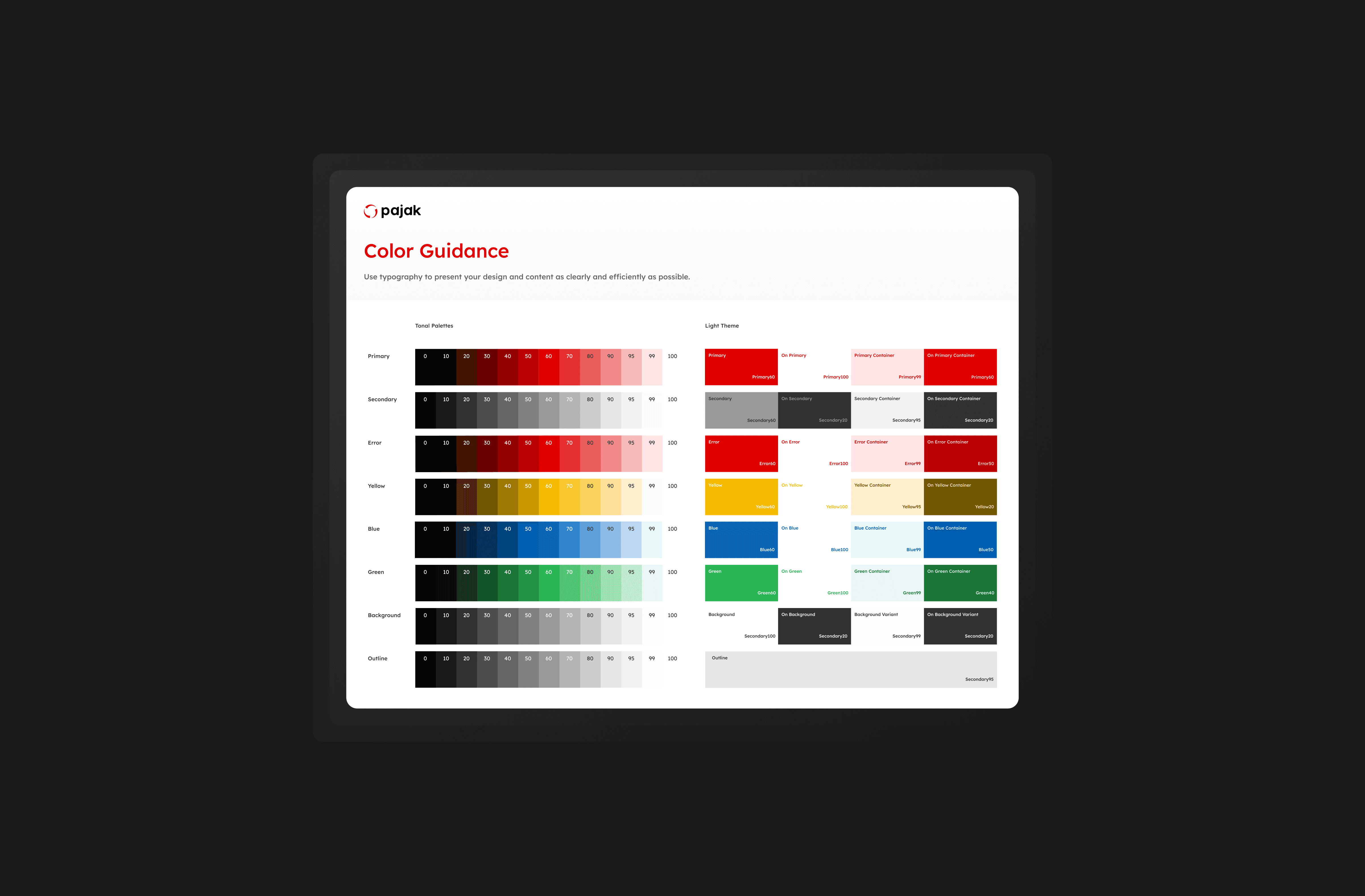
Color guidance in compliance with WCAG 2.1 standards
Elevation
We established clear guidelines for the use of drop shadows, depth, and layering in our design system's elevation section to create a sense of depth and hierarchy, making it easier for users to navigate our platform.
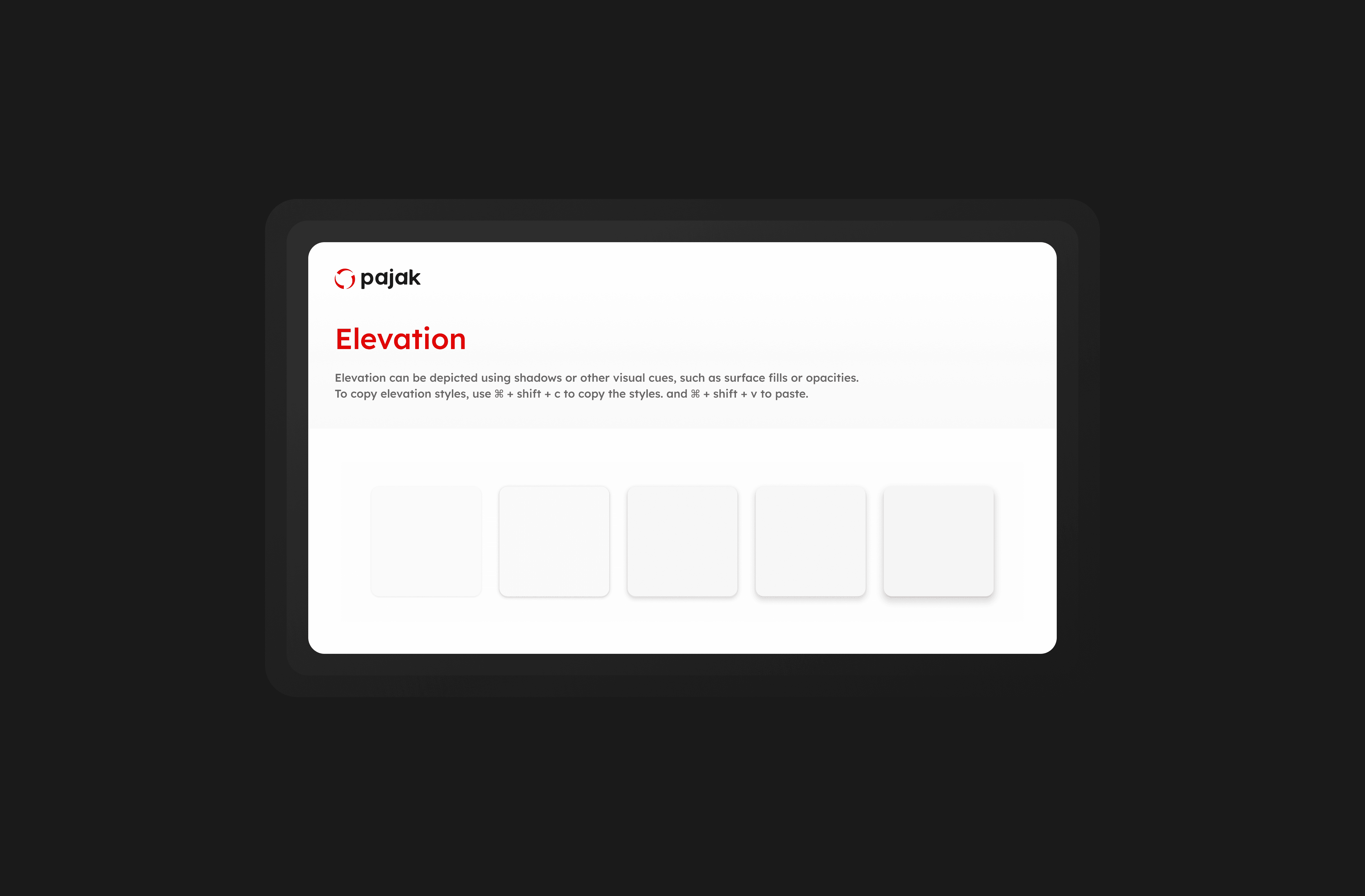
Elevation styles in order of focus hierarchy
Layout breakpoints & responsiveness
Our layout section ensures that our products are optimized for different devices and screen sizes with a grid system aligned with brand guidelines. It also includes templates for consistency and reduced development time. This guarantees that our products are adaptable and responsive to meet user needs across all devices.
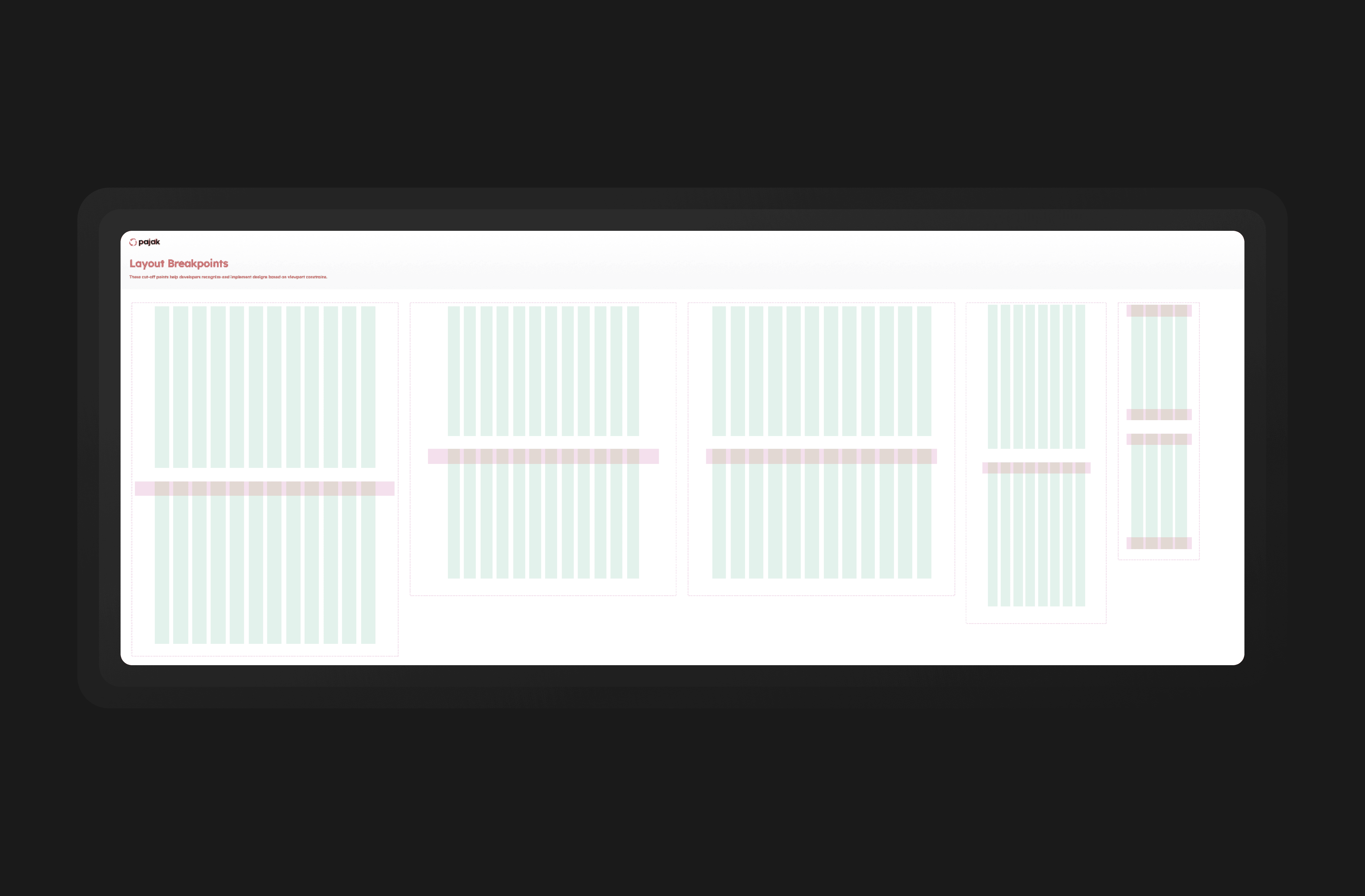
Responsive grids for every device type
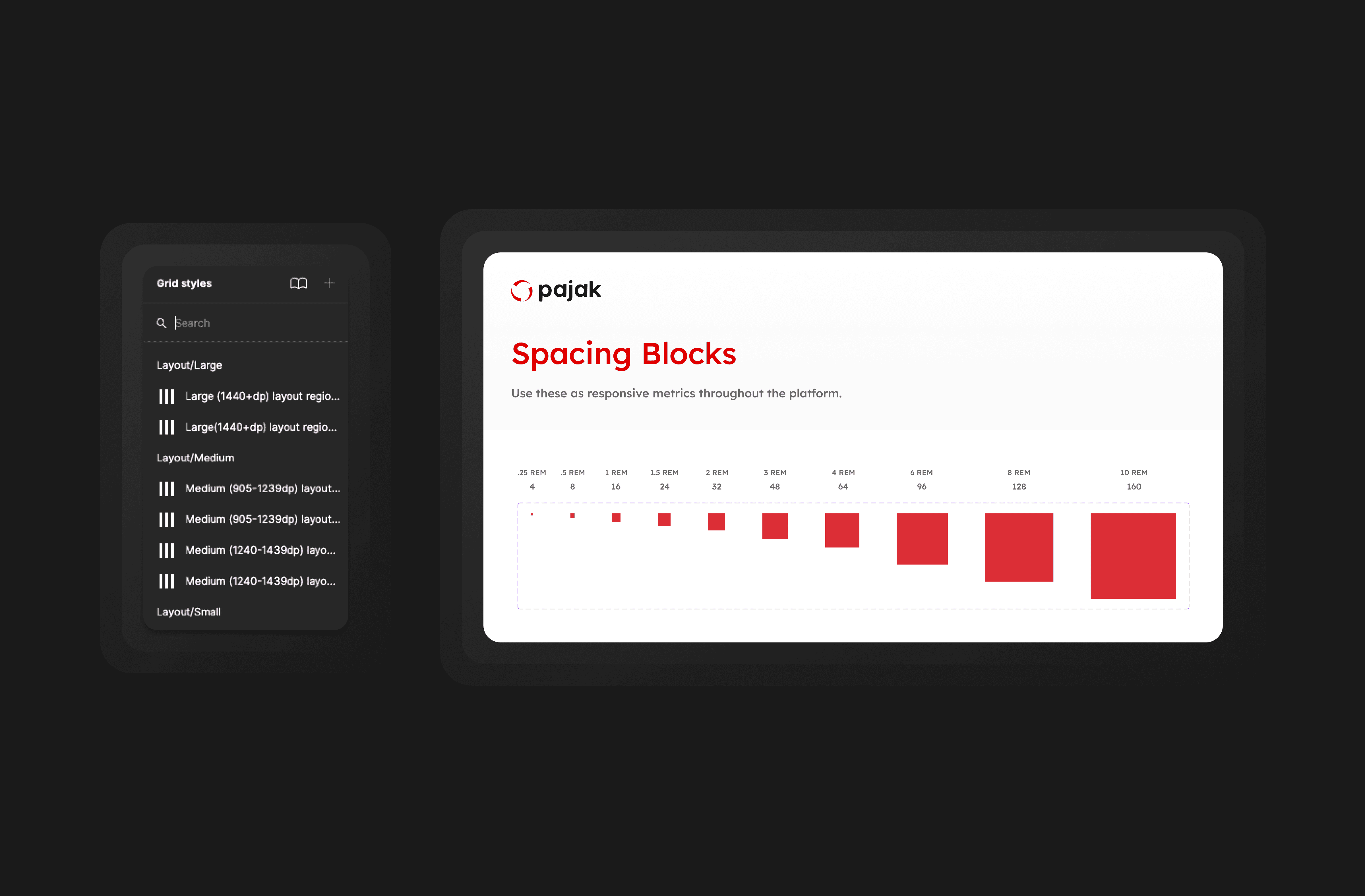
Consistent spacing blocks to be used for content separation
Buttons
Our design system's buttons section defines cohesive button styles, sizes, and states for a consistent user experience. It includes primary, secondary, and tertiary variants for different user actions. Accessibility guidelines are implemented to ensure compliance and usability. With our design system, product teams can efficiently create visually appealing interfaces across platforms.
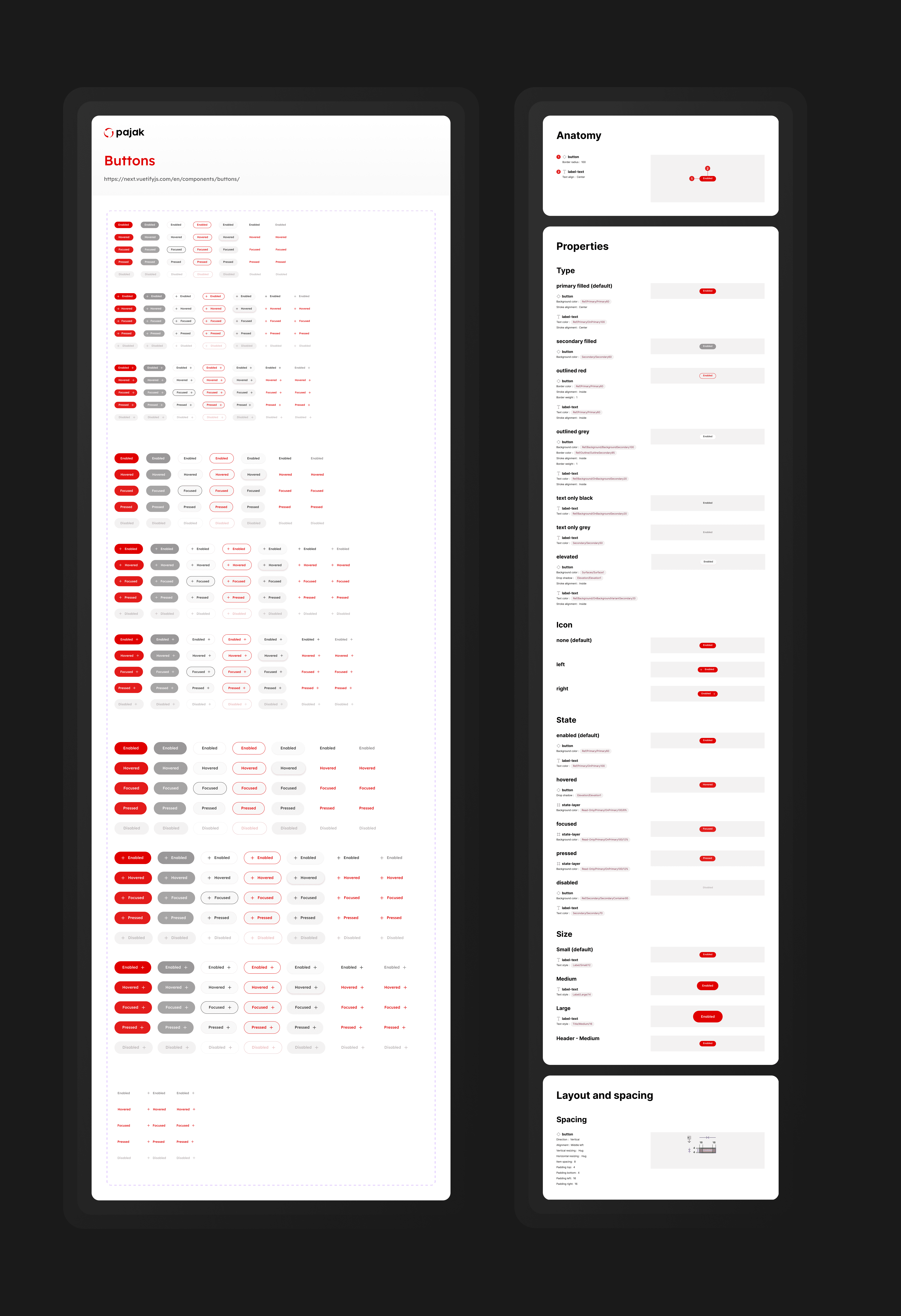
The full specs of button work - ensuring readability, contrast and sufficient use case variation
Form fields
Our design system establishes consistent approaches to designing and styling form elements, including input fields, checkboxes, and radio buttons. It encompasses guidelines for layout, validation, and error handling to deliver a seamless and intuitive experience for users. Utilizing these predefined form field components saves our teams time and effort while maintaining a cohesive and user-friendly interface.
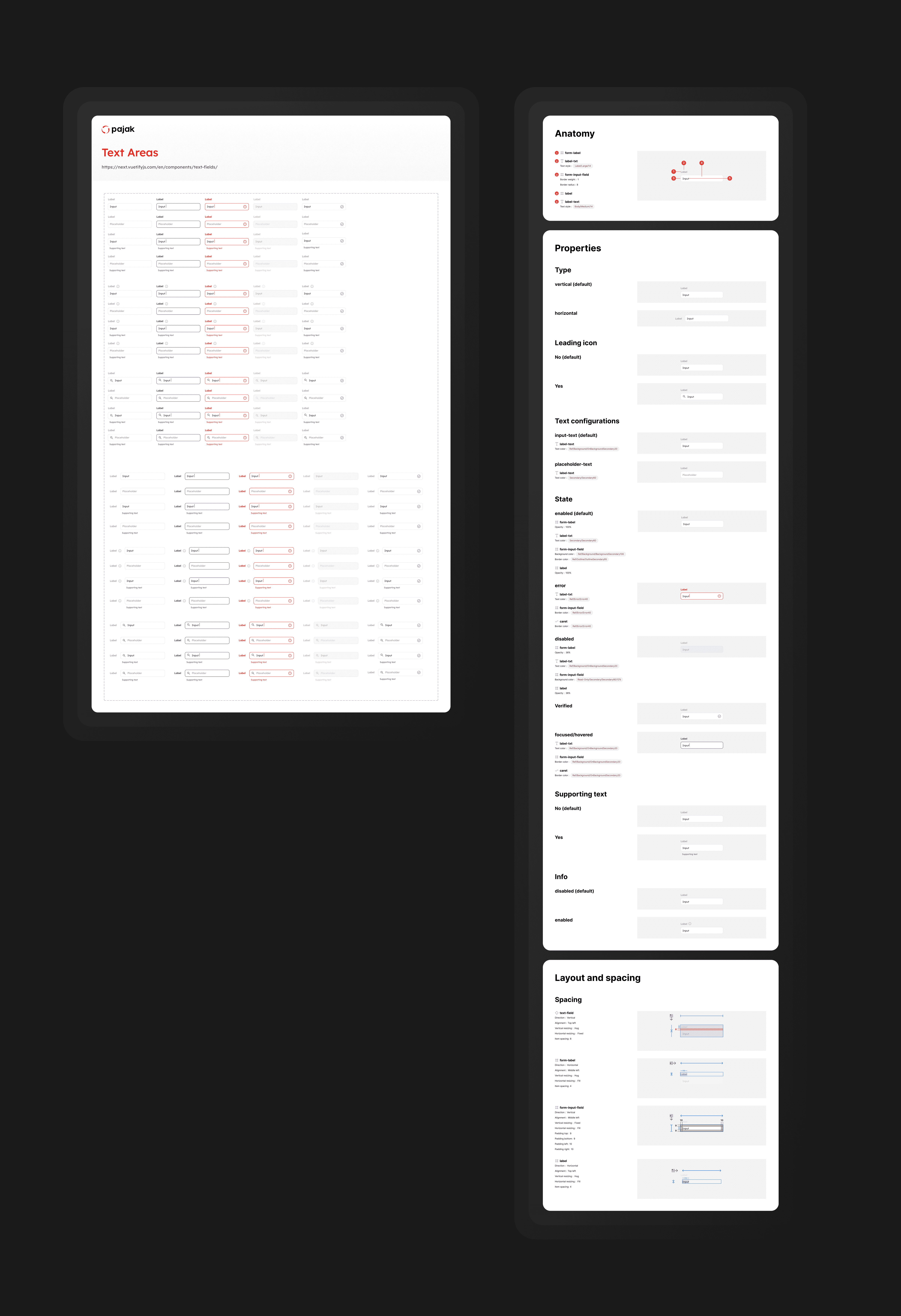
Form fields were a crucial component to get right, especially for a tax management platform
Other components
In addition to buttons and form fields, our design system comprises an extensive collection of components, such as navigation tabs, alerts, progress cards, and more. Each component has been meticulously designed and documented to ensure consistency, scalability, and ease of implementation. By utilising these predefined components, our teams can focus on building features and functionalities while upholding a unified visual language and user experience throughout our products.
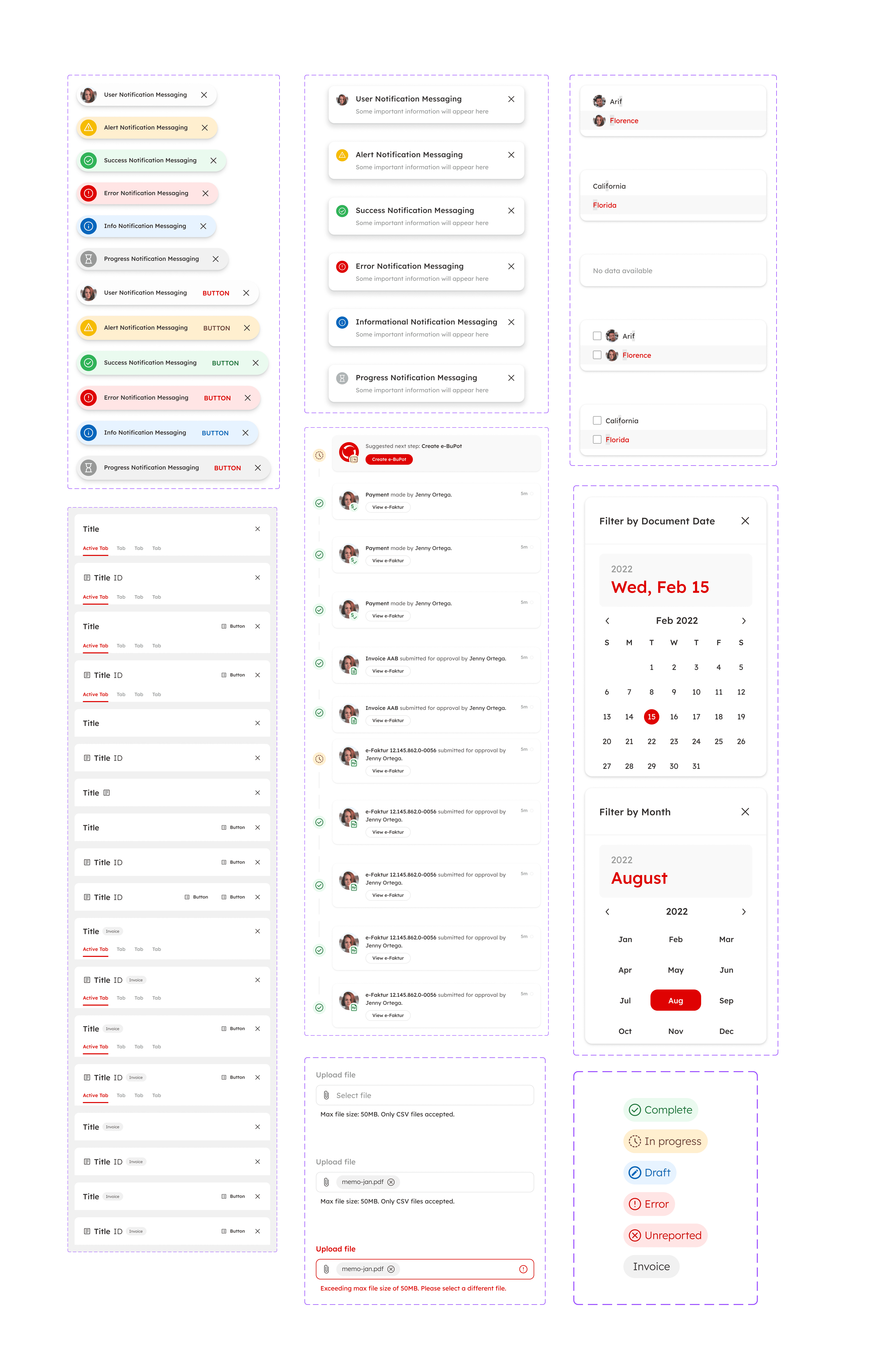
Stickersheet of common components and patterns used across teams
Dialogs
Our design system's dialog section provides guidelines for creating consistent and user-friendly modal dialogs and pop-up windows. Covering aspects like size, placement, typography, and interaction patterns, these guidelines ensure a seamless and intuitive experience for users. With predefined dialog components, our teams can efficiently implement these UI elements, presenting essential information and gathering user input in a cohesive and effective manner.
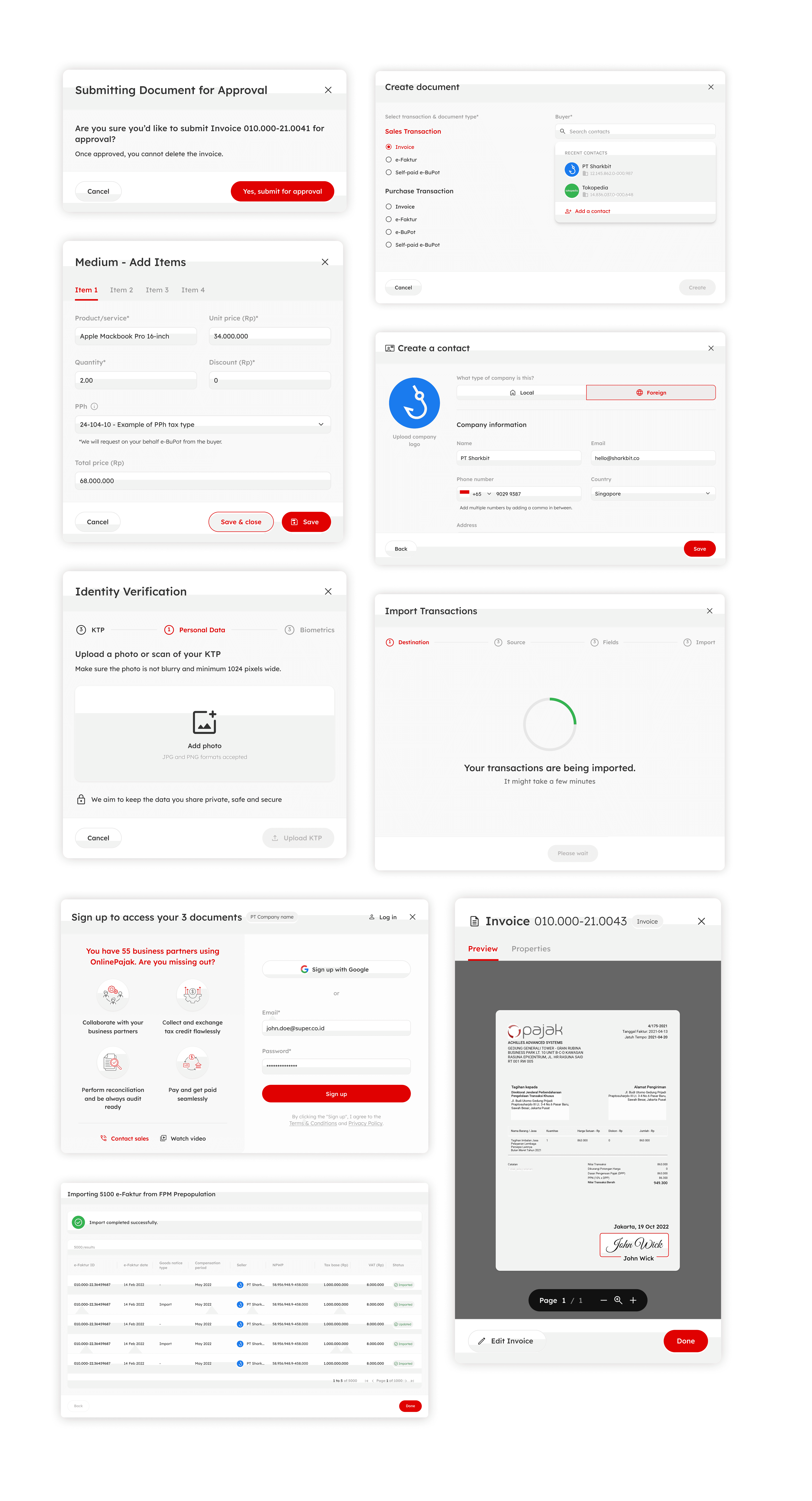
Commonly used dialogs that were called in respective drop-offs in journey
Page templates
To facilitate efficient page design, our design system offers a range of pre-designed templates for various page types, including landing pages, dashboards, and content pages. These templates provide a solid foundation for our product teams, offering consistent branding and layout guidelines. By utilizing these predefined templates, our teams streamline the design and development process, resulting in a cohesive and user-friendly experience across our products.
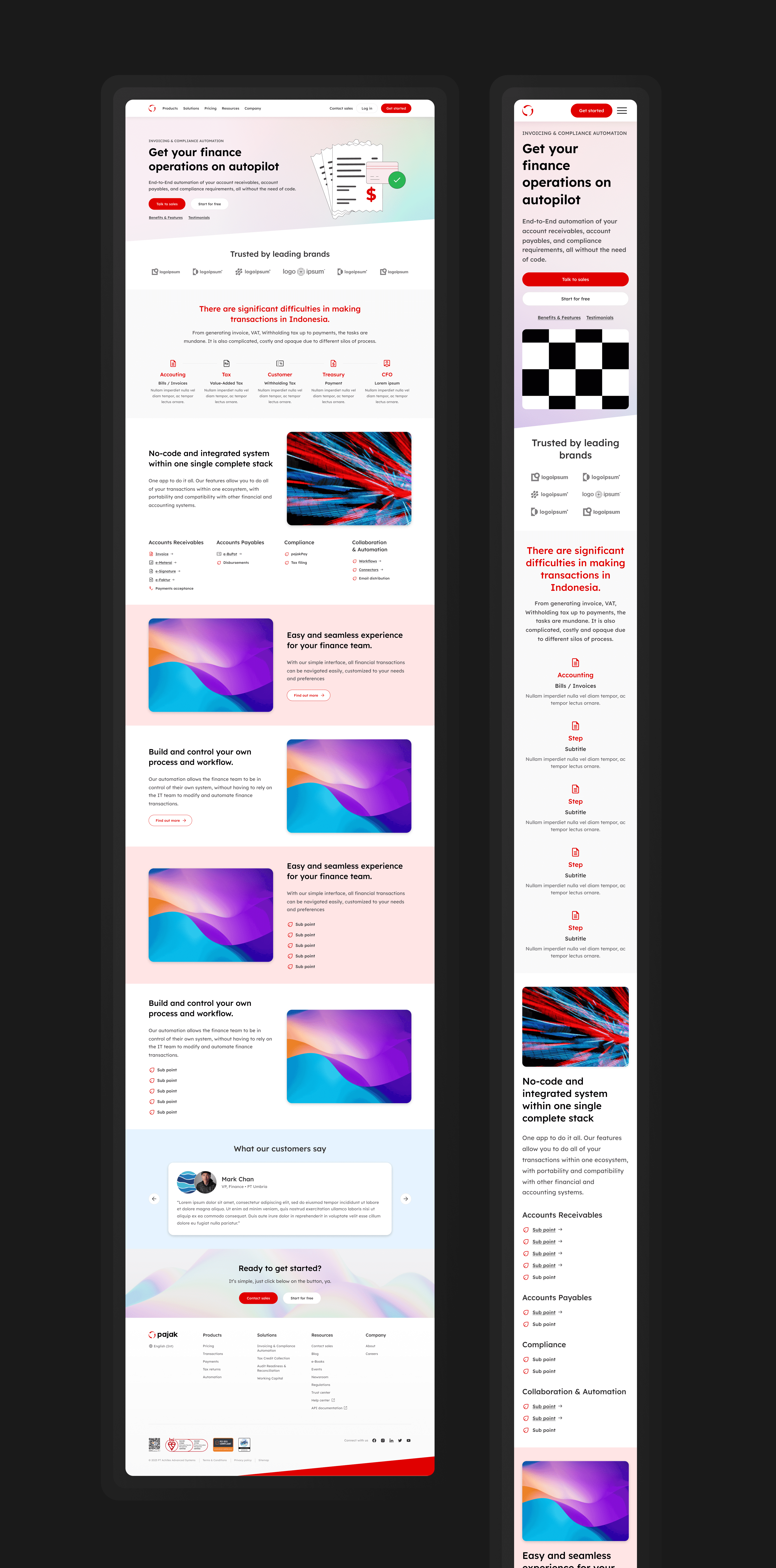
Landing screens for high conversion

Templatized pages that serve as a base for faster design task execution
The results
40%
Faster design task completion & prototyping
Plug and play templates and interactions make entire flows so much faster to design
20%
Higher design accuracy & consistency
Less mistakes were made with set templates and interactions being used across teams
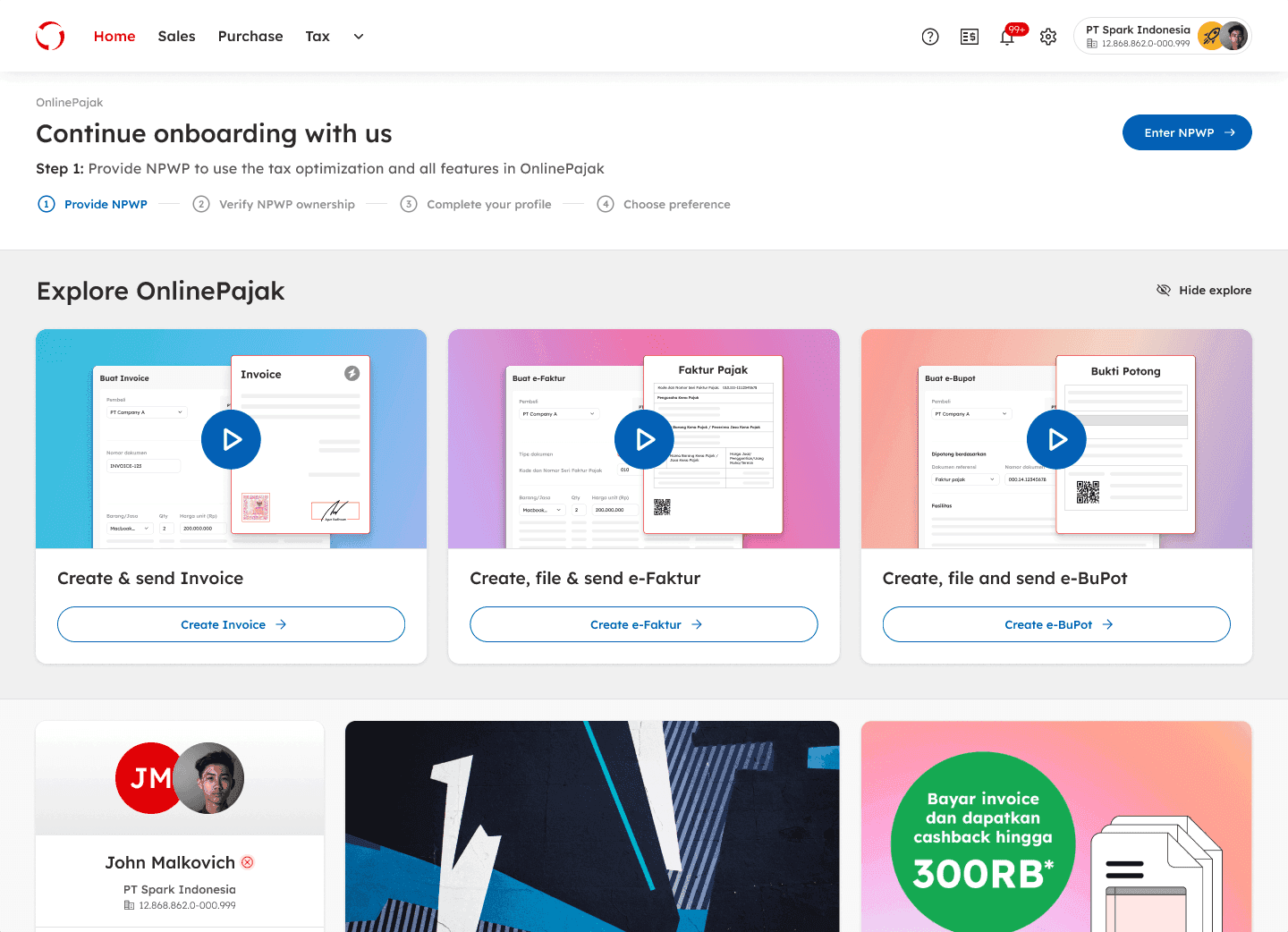
Landing page with interchangeable tutorials
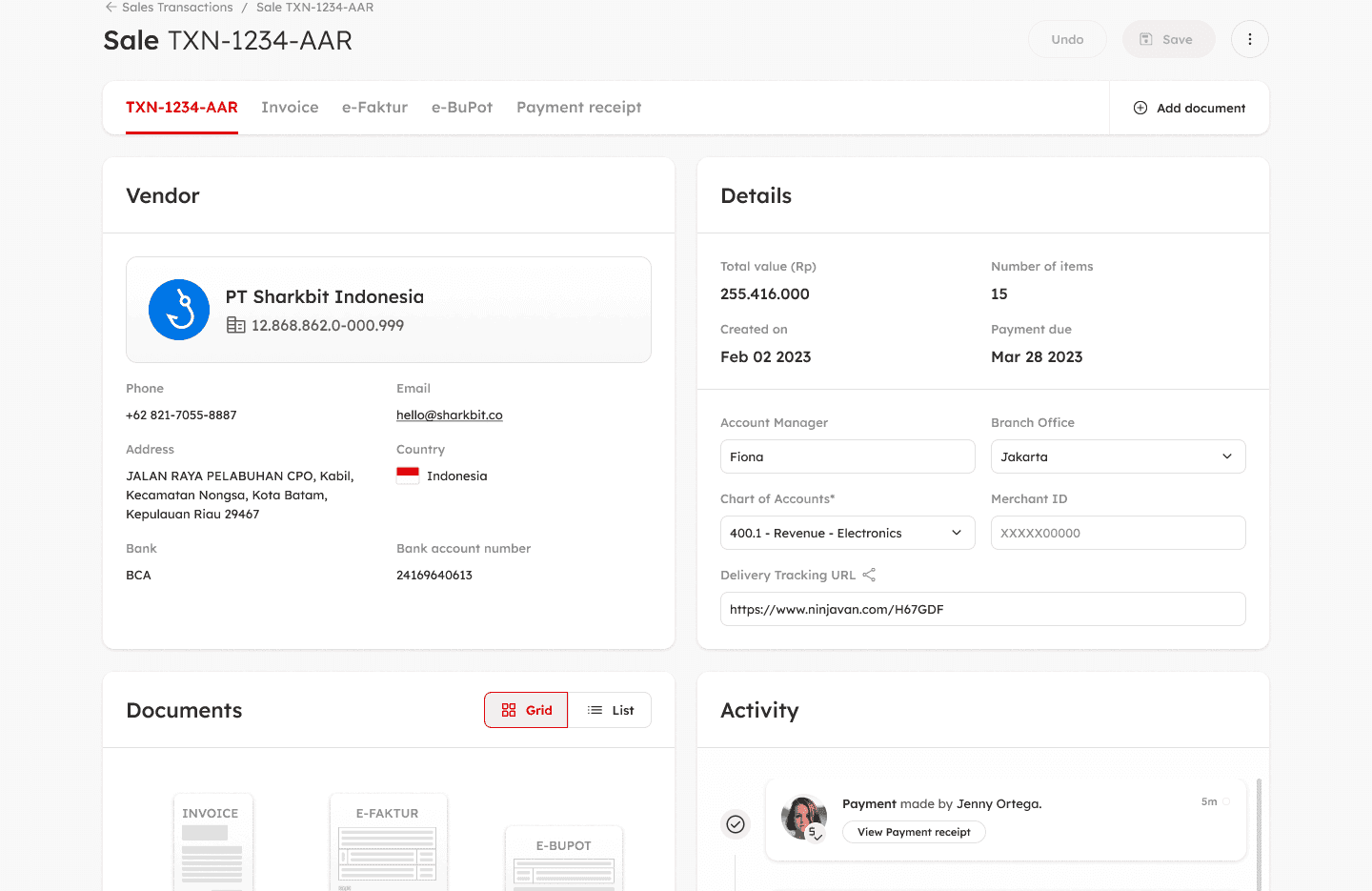
Master data capabilties with segmented vendor details
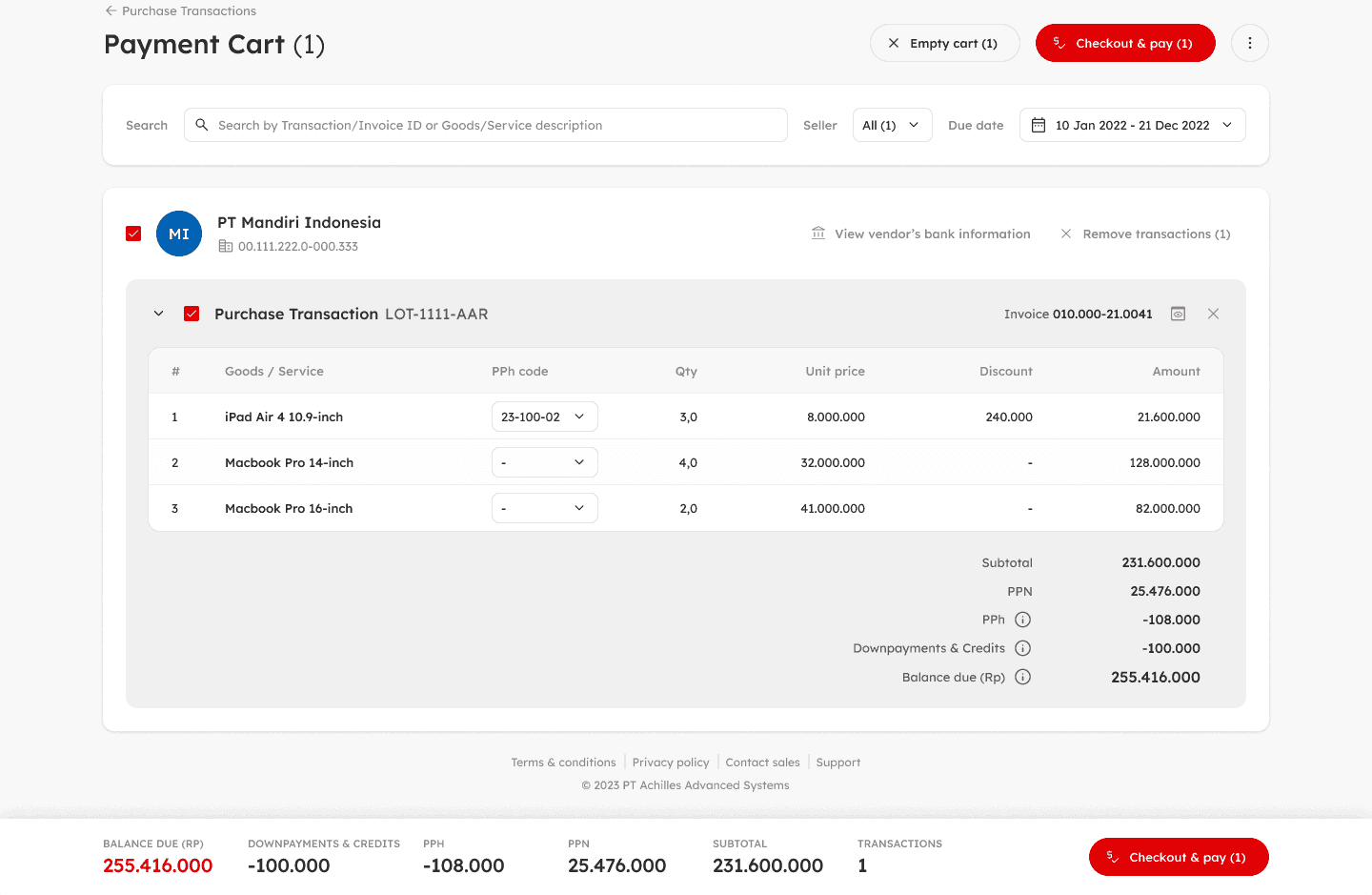
Table structures and cart implementation