SHIPPED
Designing a voice-enabled interactive experience room.
At Google Singapore's headquarters, there is a special room dedicated to the Google Assistant. Visitors can learn about the benefits of the Google Assistant and experience its capabilities. The experience is accessible to people of all ages, and follows a family as they go about their daily routine. Visitors can participate by speaking out prompts on the screen.
Skills
Experience design UX Research Interaction design
Role
Digital Art Director (UI/UX)
Timeline
1 month
Company
Untitled Project Singapore
The challenge
"How can we increase the adoption of the Google Assistant in Singapore and Asia? Is hesitance due to lack of product understanding or cultural factors? How do we convince users that the assistant can integrate seamlessly into their daily lives?"

Wilshia Maruli, Google Representative
Double diamond to guide
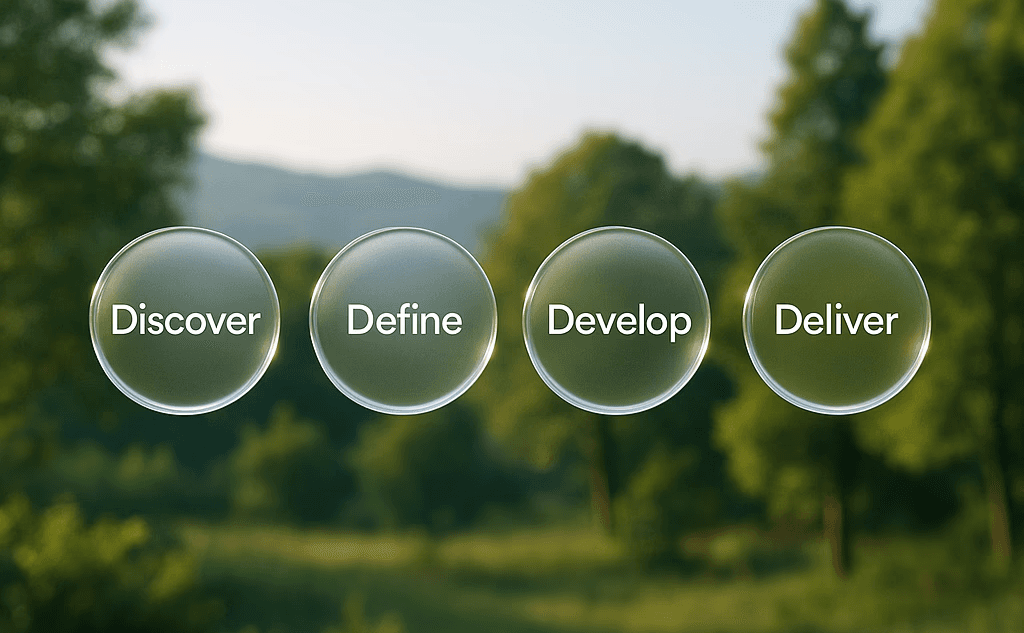
We used the Double Diamond design process by IDEO to create a plan of action for our project. This process consists of four phases: discovery, exploration, development, and delivery. By following this process, we were able to achieve our desired results.
Discovery
Discovering similar experiences
To design something entirely new, we first studied what already existed, borrowing lessons from children’s TV and interactive film to guide our approach.
Dora The Explorer
Dora the Explorer showed us how interactive storytelling primes young viewers to respond. We liked the idea of simulating a pause before the story continued, adding light clarification prompts like “say it again!”, and showing the right utterance on screen so users knew how to respond. But Dora also revealed what not to do. With no way to confirm answers, the system felt broken when users got it wrong. Long waits between interactions disrupted pacing, and the lack of “listening” feedback made the experience feel unresponsive.
Bandersnatch
Bandersnatch offered inspiration around pacing. Its short wait times and idle loops kept the story flowing without awkward silences. Still, some elements didn’t fit. Stressful countdown timers and too many or too-long prompts risked overwhelming the user. Definitely something we wanted to avoid for Google’s brand.
What we took forward
From both, we learned that timing, feedback, and clarity were critical. Our goal became to create an experience that felt responsive, guided, and light without anxiety or fatigue.
Dora asking the audience a prompt and relaying an expected outcome
Picking a choice for the main character on Bandersnatch. Timed, and visually tense.
Discovery
Making sense of the problem
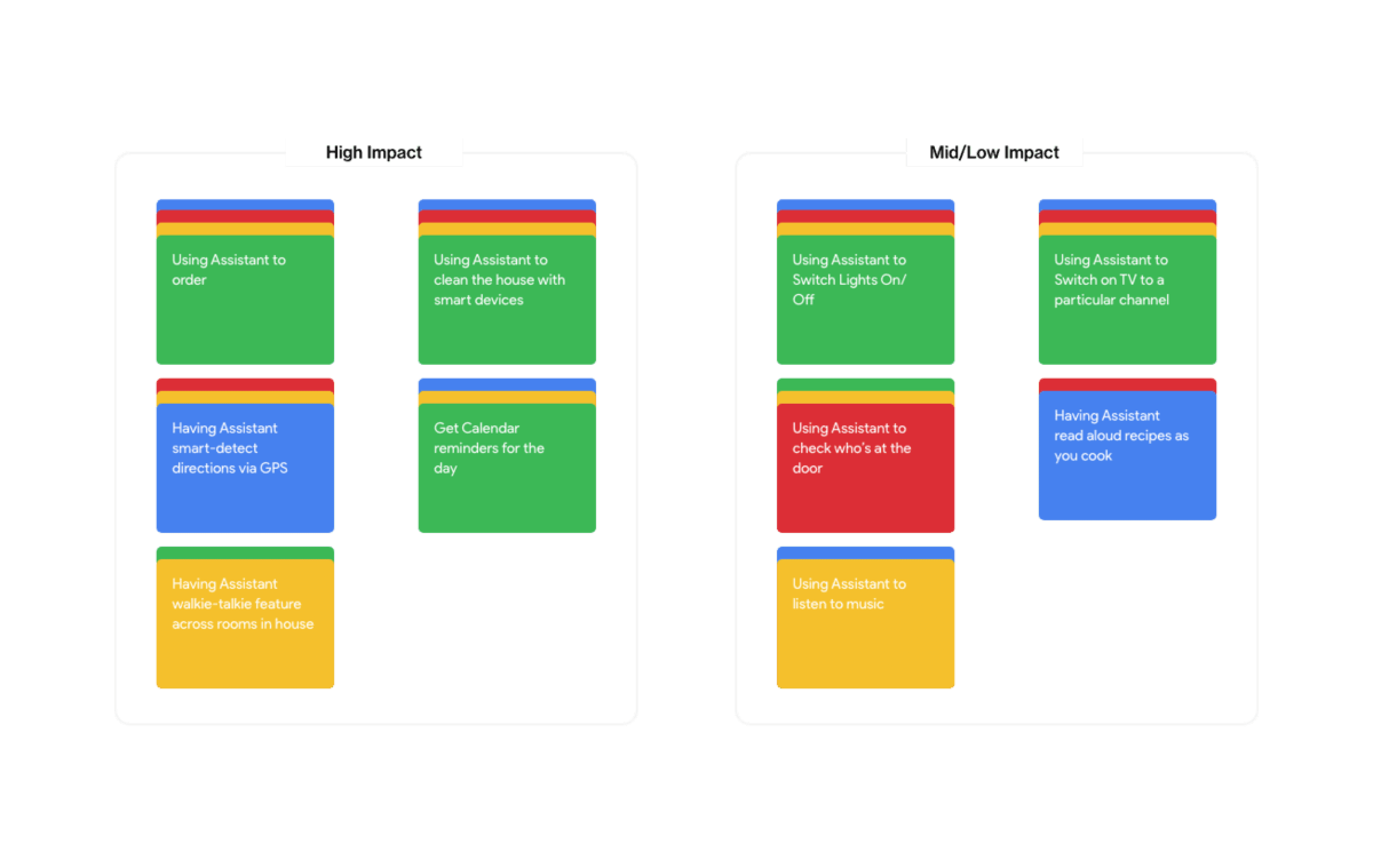
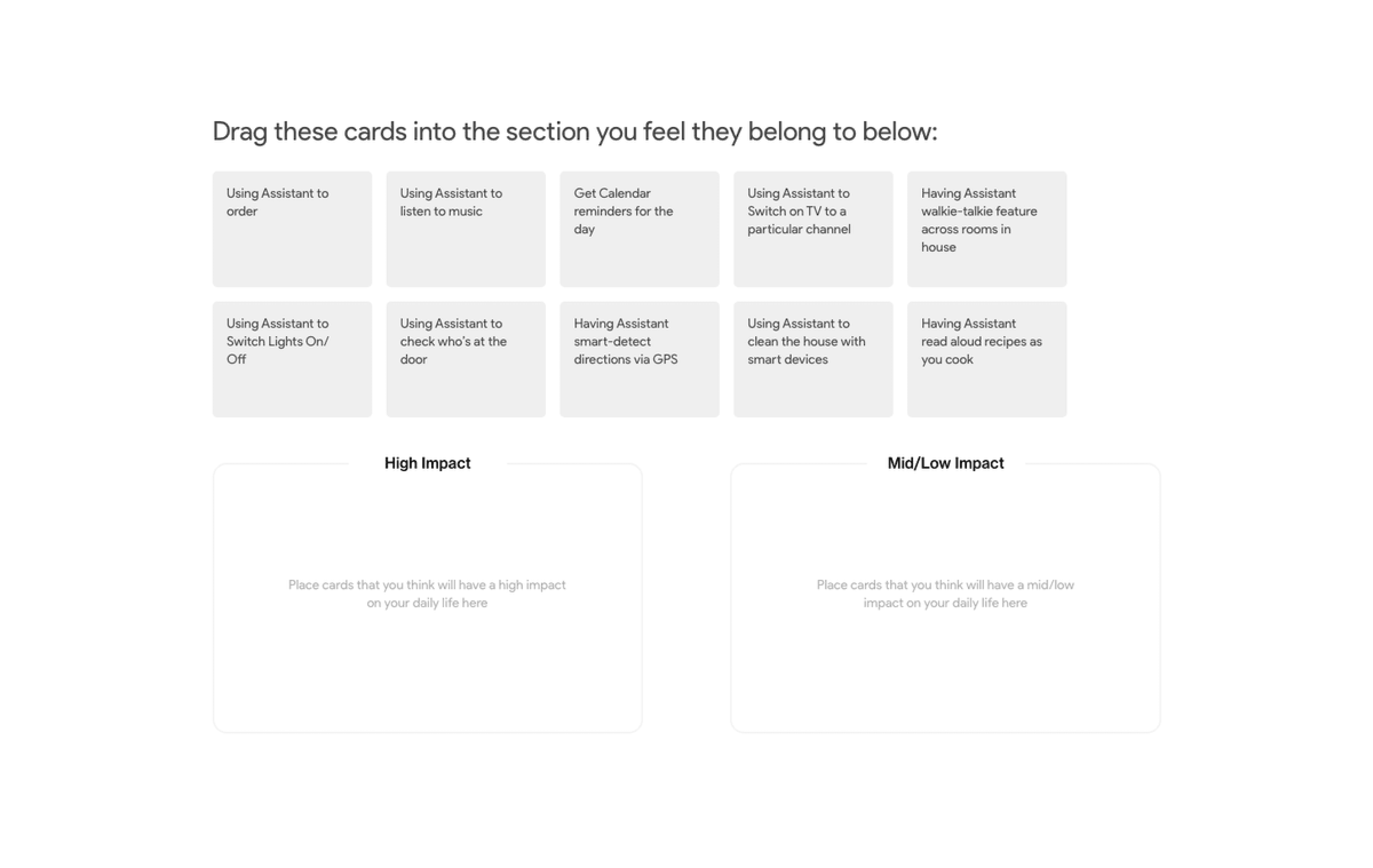
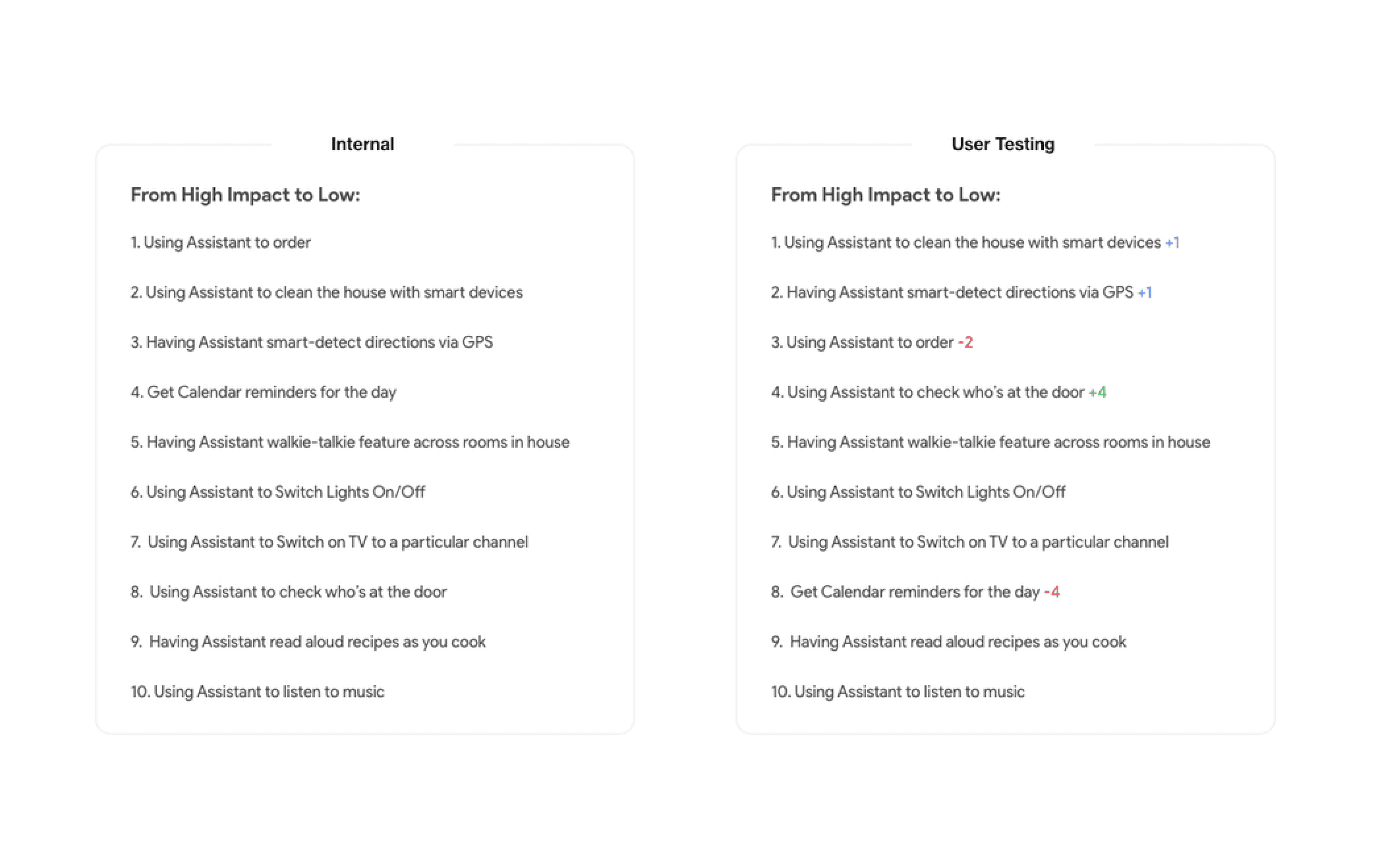
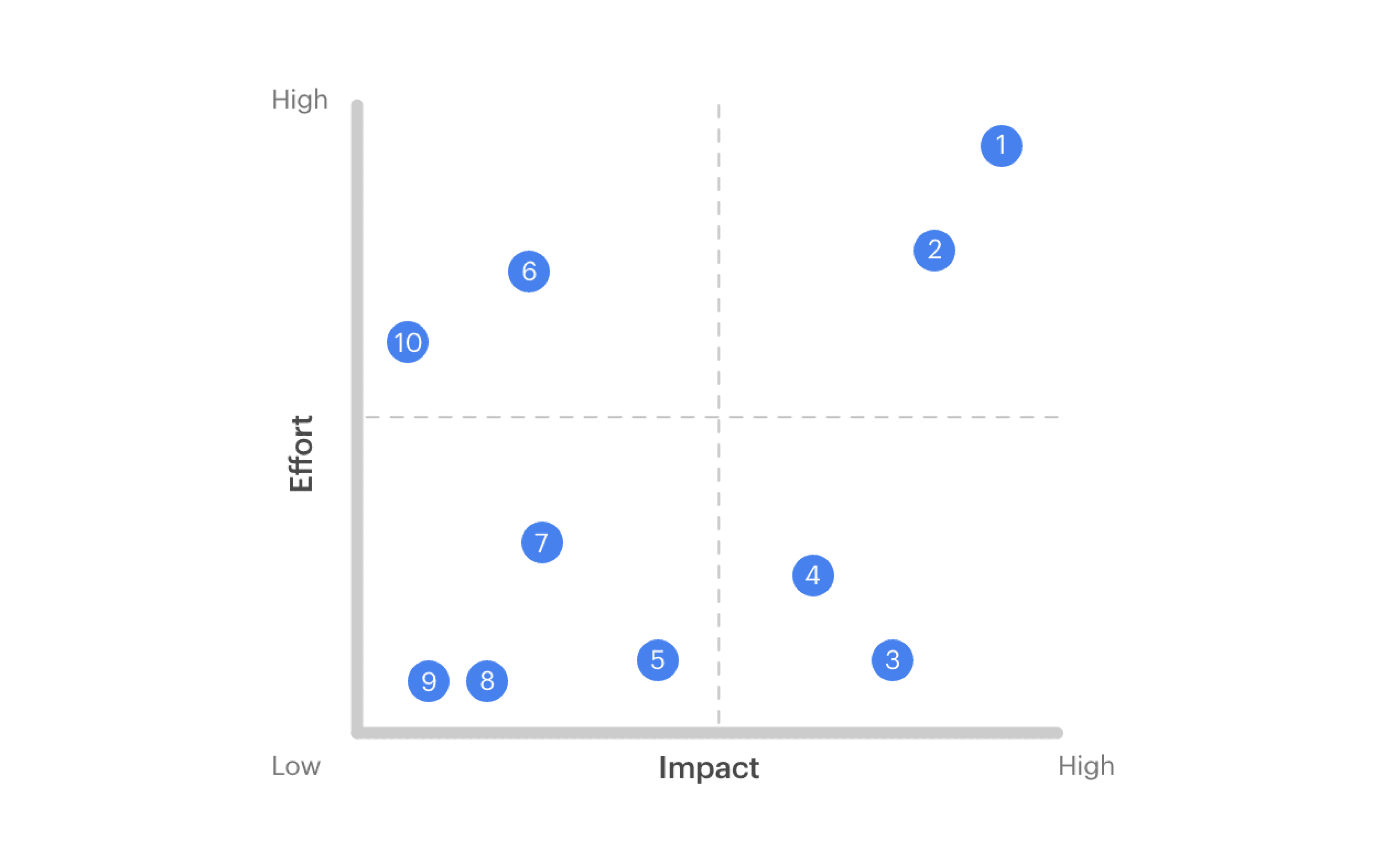
Once we understood the broad pain points, the next step was to sharpen them into clear opportunities. Thankfully, we had access to Google’s wealth of user data, which gave us insight into the frustrations and needs of a diverse user base. To make sense of it all, we began clustering similar insights and features into an affinity map. Patterns quickly started to emerge—showing us where the biggest gaps and opportunities lay. But we didn’t want to rely only on our interpretation. To check whether these groupings matched how users themselves thought, we ran a quick card-sorting exercise. This helped us validate (and in some cases, adjust) our assumptions. With clearer themes in place, we then turned to feasibility. Using a feature prioritization matrix, we plotted ideas by impact versus development effort. This gave the team a realistic way to decide which features could deliver the most value, without overburdening engineering.
Define
Defining the user
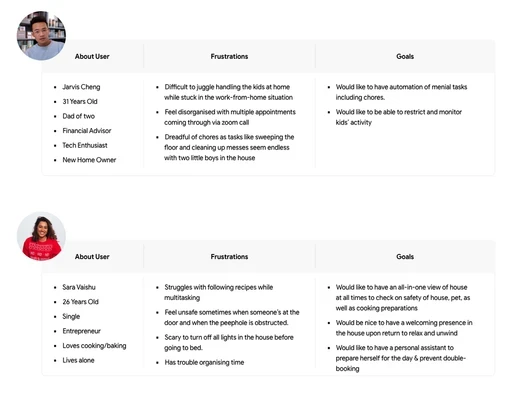
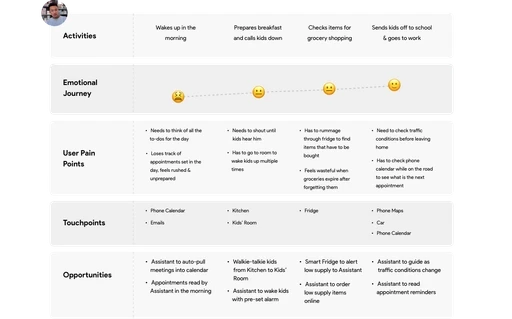
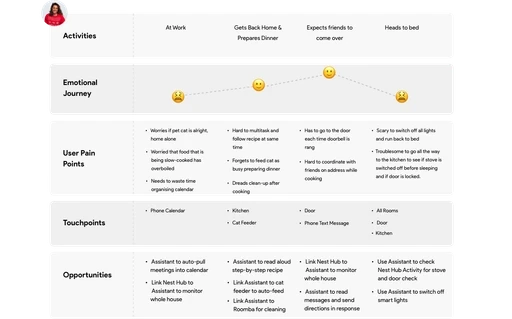
What we design had to resonate with the user needs. To help us visualise this better, we set up user personas and customer journey maps in place to try an emulate the user's sentiments.
Define
Defining the flow
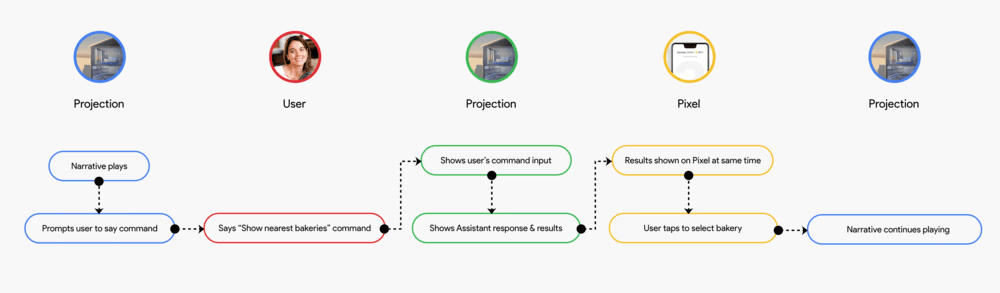
Before scripting the voice interactions, we first mapped a generic user flow to show stakeholders how Google’s ecosystem of devices would connect within the assistant room experience. This flow became the backbone for every prompt capture in the narrative.
Develop
Voice intent scripting
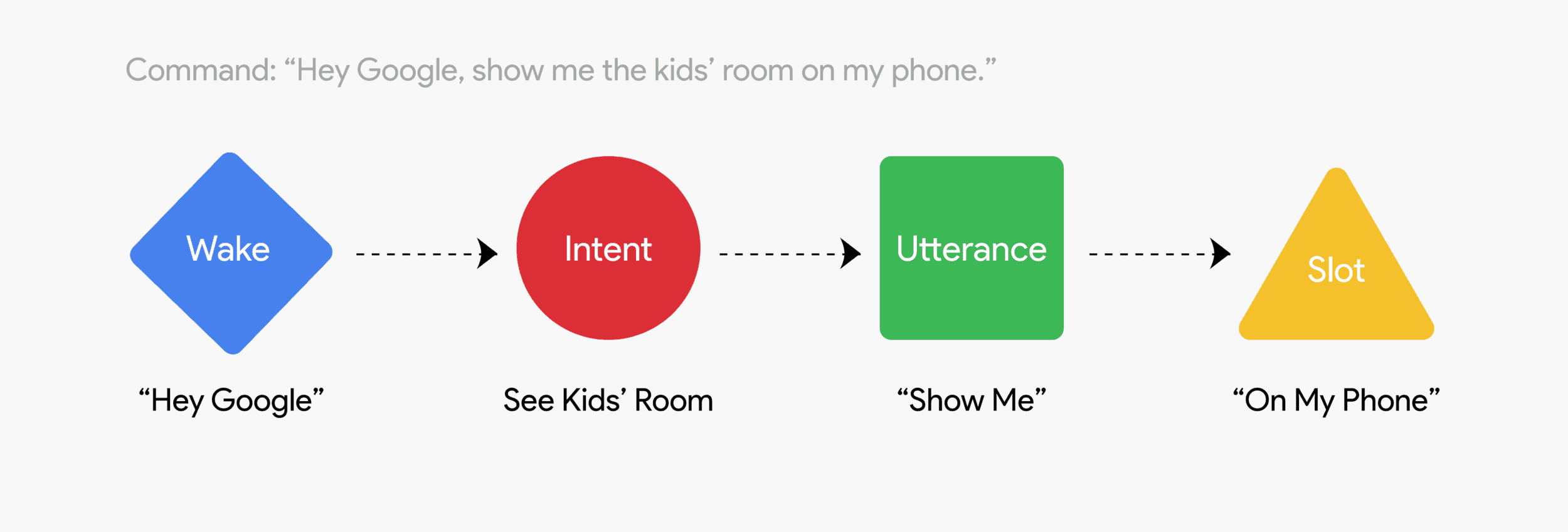
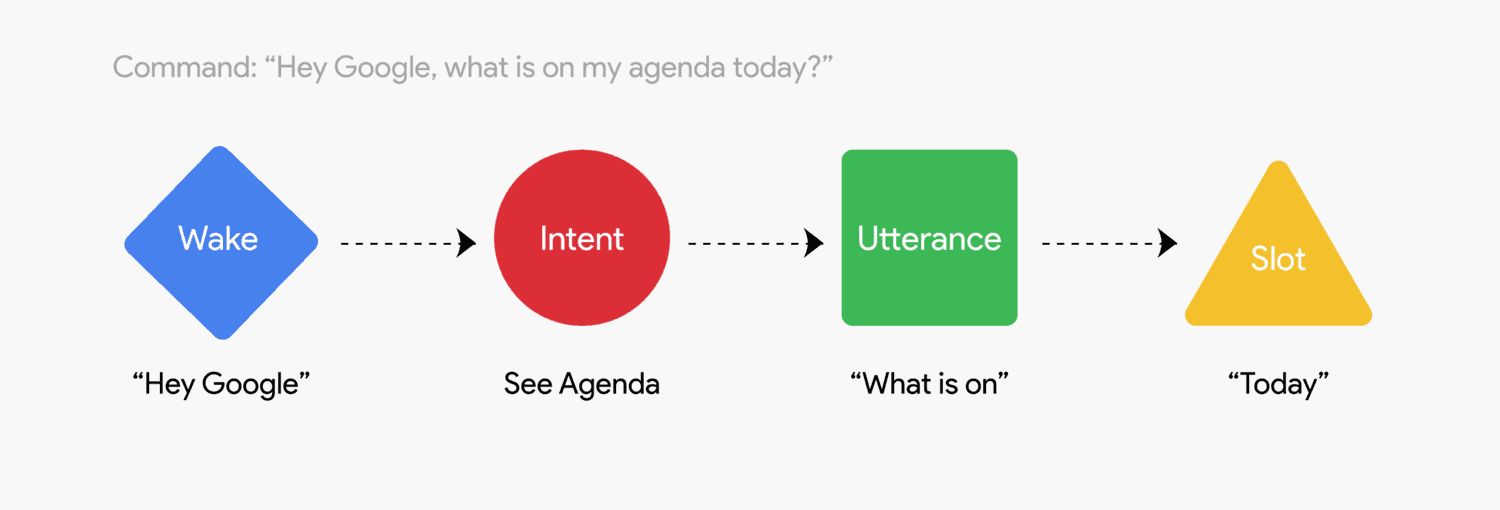
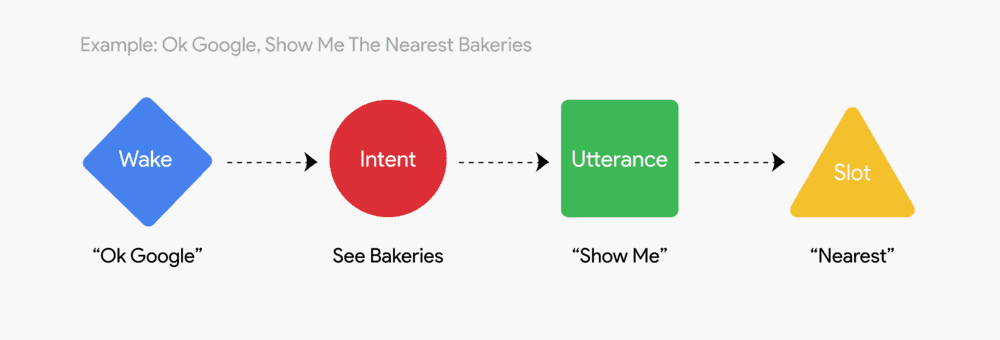
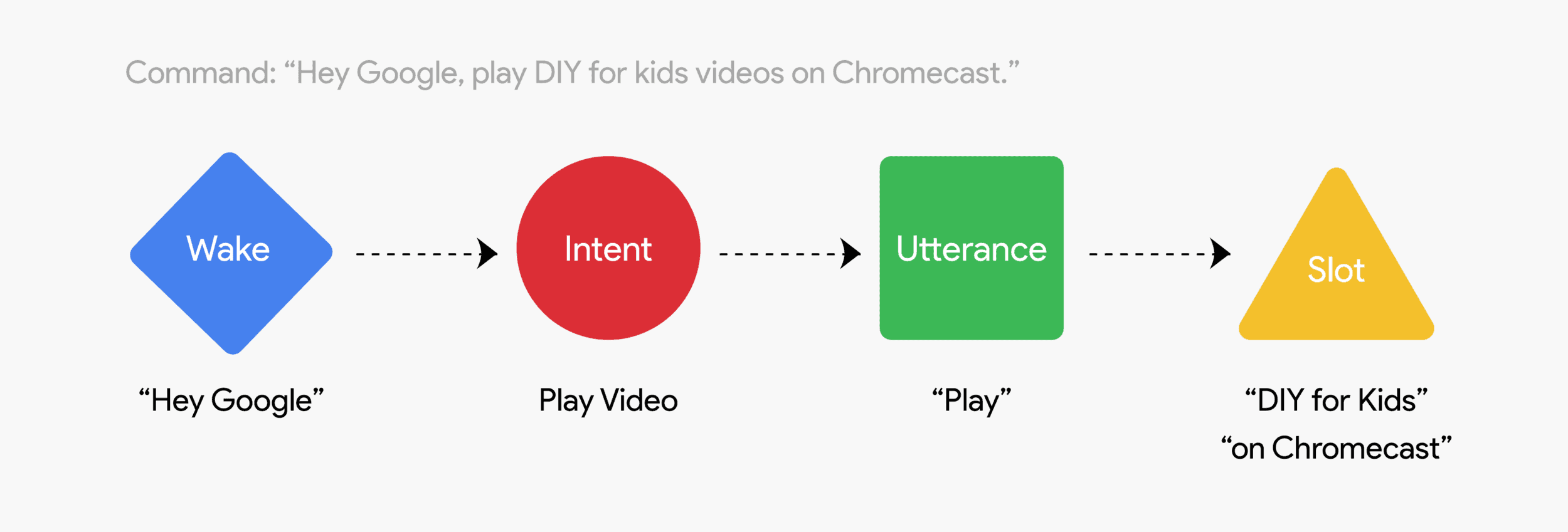
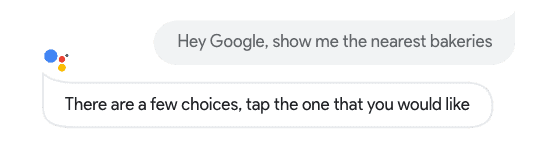
To design meaningful interactions, we had to translate narrative flow into the basic building blocks of voice design: wake words, intents, utterances, and slots. Together, these elements shaped how users engaged with the system and how the system responded in turn.
Wake word
The wake word is the trigger phrase that activates the device and prompts it to start listening. Once detected, the system begins processing the user’s input to identify intent and relevant details. This simple mechanism is essential, as it allows users to initiate voice interactions hands-free without manually activating the device.
Intent
The intent refers to the primary goal of the user’s request. Intents can be low utility or high utility. A low utility intent is vague, such as “teach me more about cooking”, which usually requires the system to ask clarifying questions. A high utility intent is specific and actionable, such as “read the fried chicken recipe in my notes”, which the system can capture and respond to immediately.
Utterance
Utterances are the different ways a user might phrase the same request. For example, to watch a TV channel, a user might say “Turn on the TV and switch to channel 1”, “Play channel 1 on the TV”, or “Show me channel 1 on the TV”. Each utterance differs in wording, but they all convey the same intent. The system must recognize these variations in order to accurately fulfill the request.
Slot
Slots act as descriptors that add specificity to a command. In the request “play some music”, the word “some” could be replaced with a slot like “classical” or “rock” to refine the experience. Slots are not always required, but they provide valuable context for tailoring responses. They can also be preset, as in Google’s Routines. For example, a user might create a “Bedtime” routine that includes “turn off the lights”, “set the thermostat to 68 degrees”, and “play relaxing music”. By invoking the slot “Bedtime”, the system can trigger all these actions with a single command.
Deliver
Bringing it Together
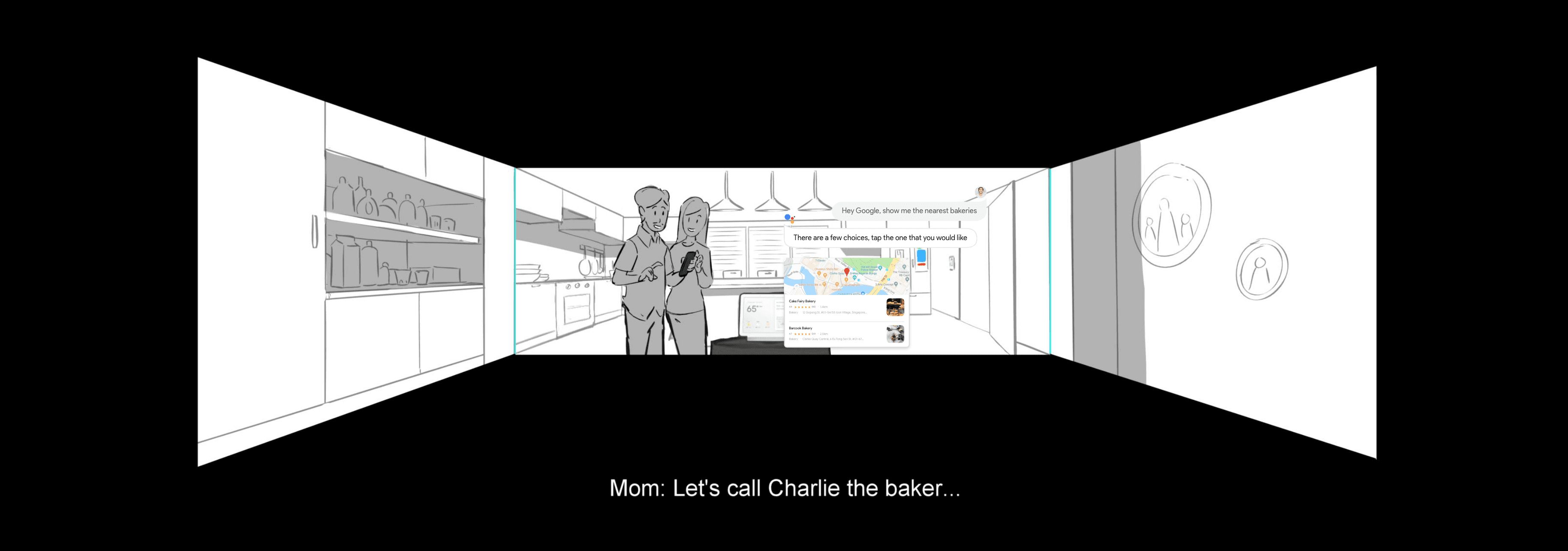
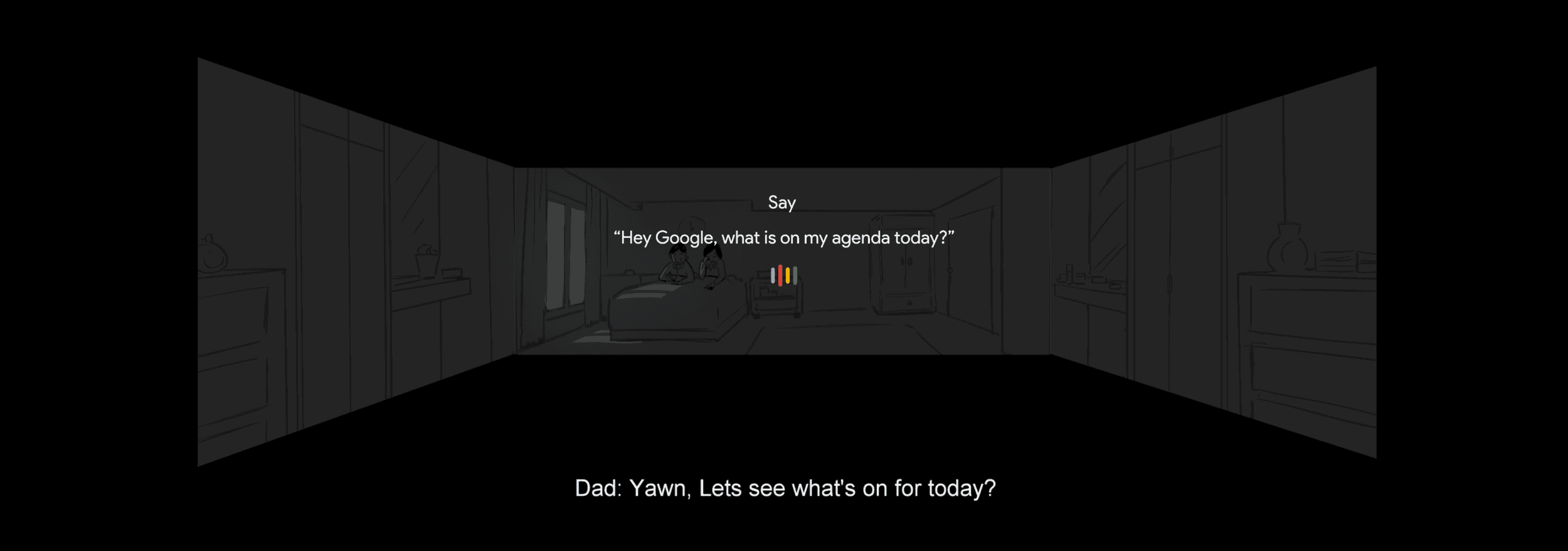
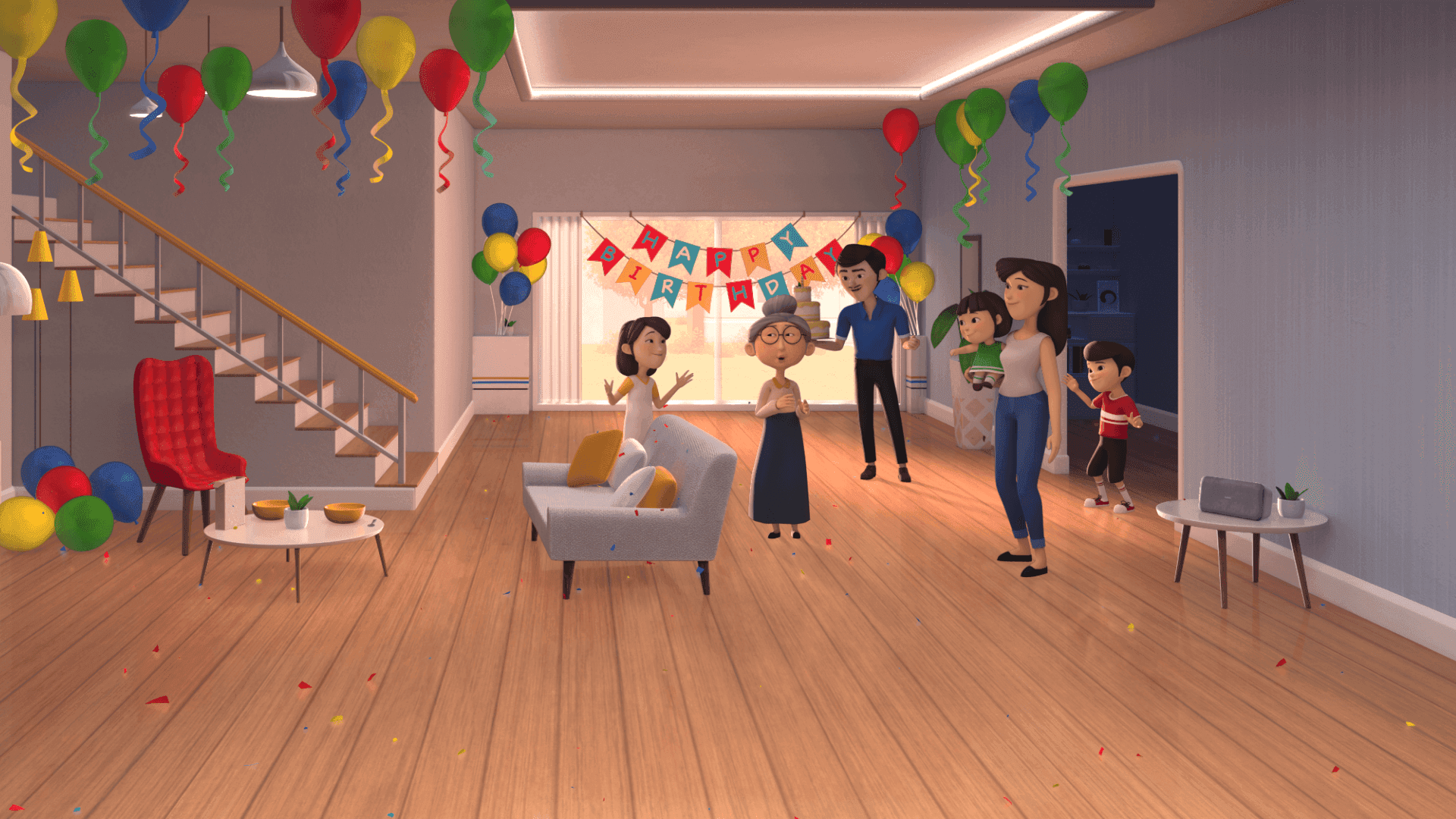
To create a cohesive experience for our project, we first created storyboards to guide the overall narrative and the voice commands and prompts. As the 3D animators worked on bringing the story to life, we simultaneously developed the user interface for the Nest Hub, Pixel phone, and the projection, ensuring a seamless integration across all devices in the room.
The results
The Google Assistant Room not only attracted massive crowds but also proved resilient during the pandemic, adapting seamlessly to new formats and audiences.
128,000
Visitors and counting
Making the Google Assistant Room one of the most popular showcase experiences.
Retail Expansion
To Courts & Challenger
Positive reception led to interest in expanding the experience to online platforms and retail stores
Google Store Feature
During the Covid-19 Pandemic
To allow users to experience the interactive experience at home with their own devices
A preview of the experience
Bringing the experience online in the Google store during the pandemic
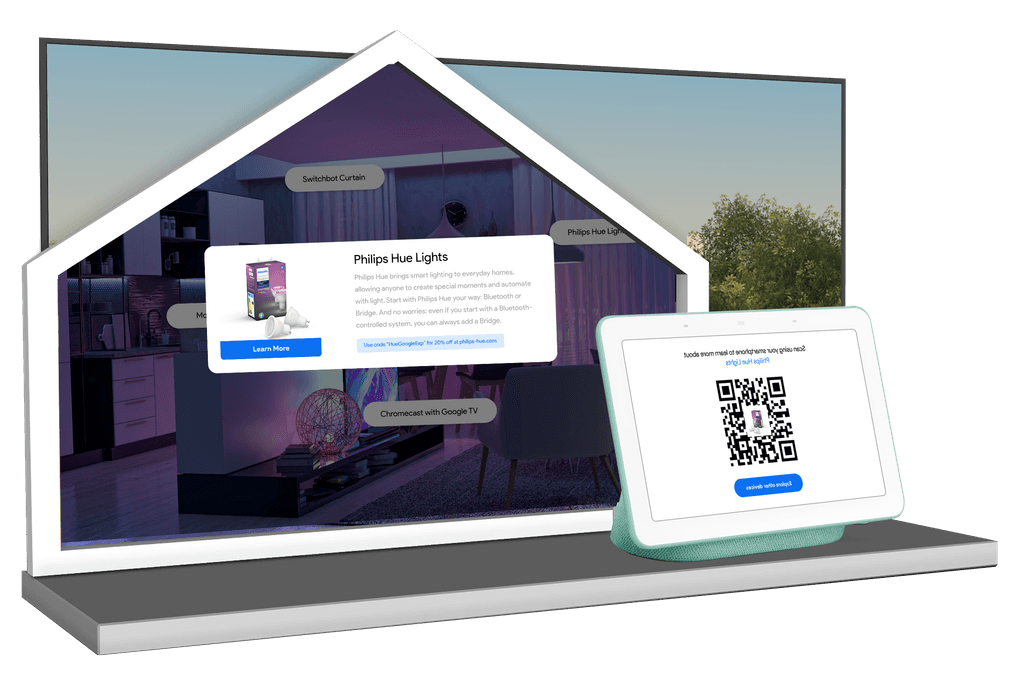
In-store installations of the experience in Courts
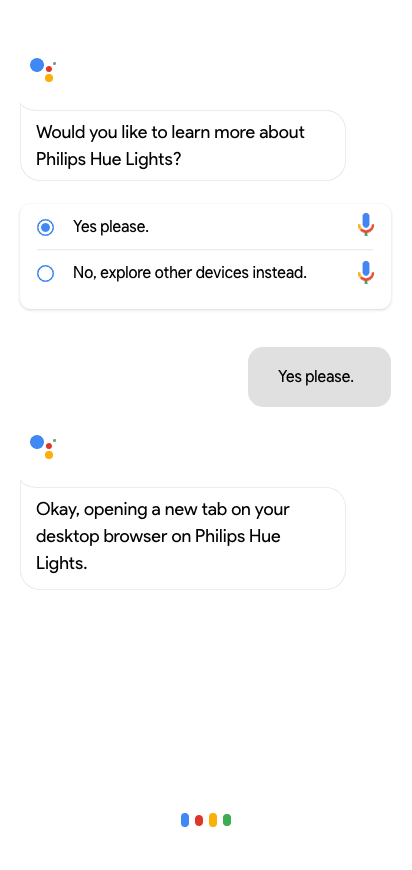
Double device joint experiences for at-home users