SHIPPED
SP Group
Phygital experience centre for sustainable living.
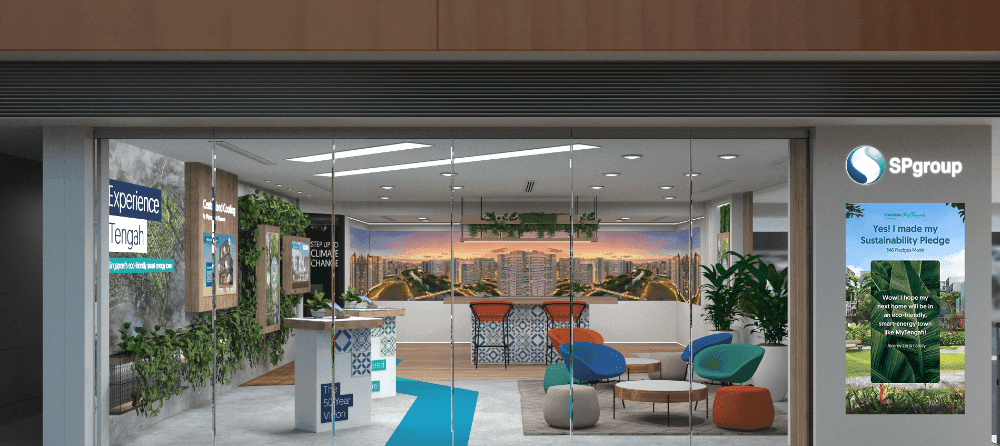
The MyTengah Experience Centre is a physical exhibit designed to educate the general public on the benefits of sustainable choices and the features of Singapore's first eco-smart township, Tengah. The centre includes multiple touchpoints for visitors to interact with and tracks user information to better understand the needs and interests of attendees. Through this immersive experience, we aim to promote the adoption of sustainable practices and raise awareness about Tengah as a model for eco-friendly living.
Skills
Augmented Reality Touch Interface Design Mobile App Design
Role
Digital Art Director (UI/UX)
Timeline
1 Year
Company
Untitled Project Singapore
The challenge
“How can we create an experience that educates the general public on the benefits of sustainable choices, specifically switching to a centralised cooling system, while also promoting Tengah as a model for eco-friendly living?”
Cynthia Wong, VP of Sustainable Energy Solutions
The Process
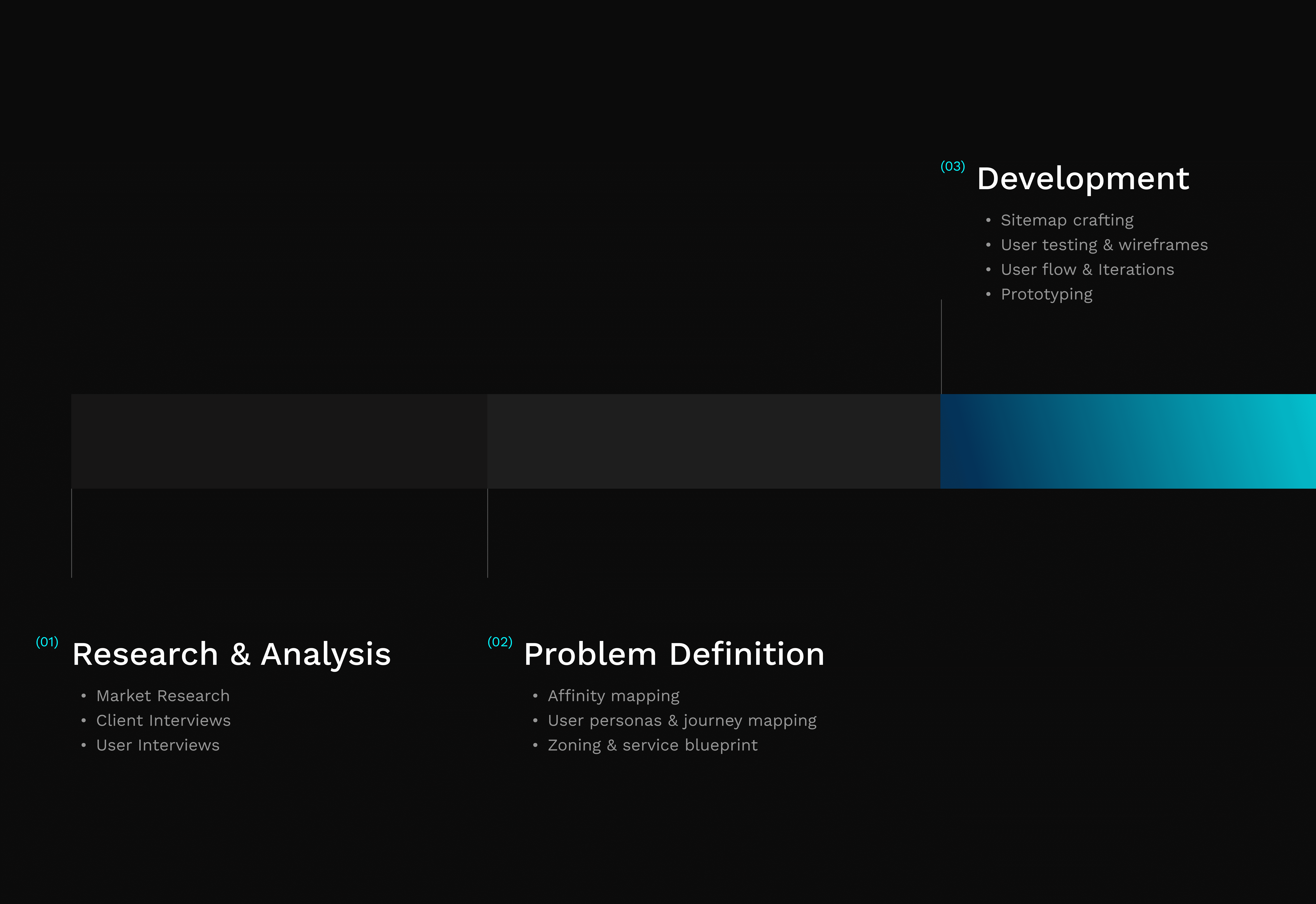
We used research to understand the needs and desires of our target users and the competitive landscape. Using this information, we defined specific problems that our product would aim to solve. We generated and refined potential solutions through prototyping and testing, and then moved on to the final product development phase to create the final design and prepare it for manufacturing within the centre.
Research & analysis
Benchmarking beyond Singapore
To make sustainability more tangible, we used augmented reality and 3D visuals as core product features. We also explored gamification to personalise the experience and reduce friction in early data capture by using rewards. Our design decisions were informed by established AR and touch-based experiences from Instagram, McDonald’s, and Starbucks. Instagram guided the scoping of AR mechanics, McDonald’s influenced touchscreen structure, and Starbucks’ touch table shaped our approach to designing intuitive interfaces for unfamiliar mediums.
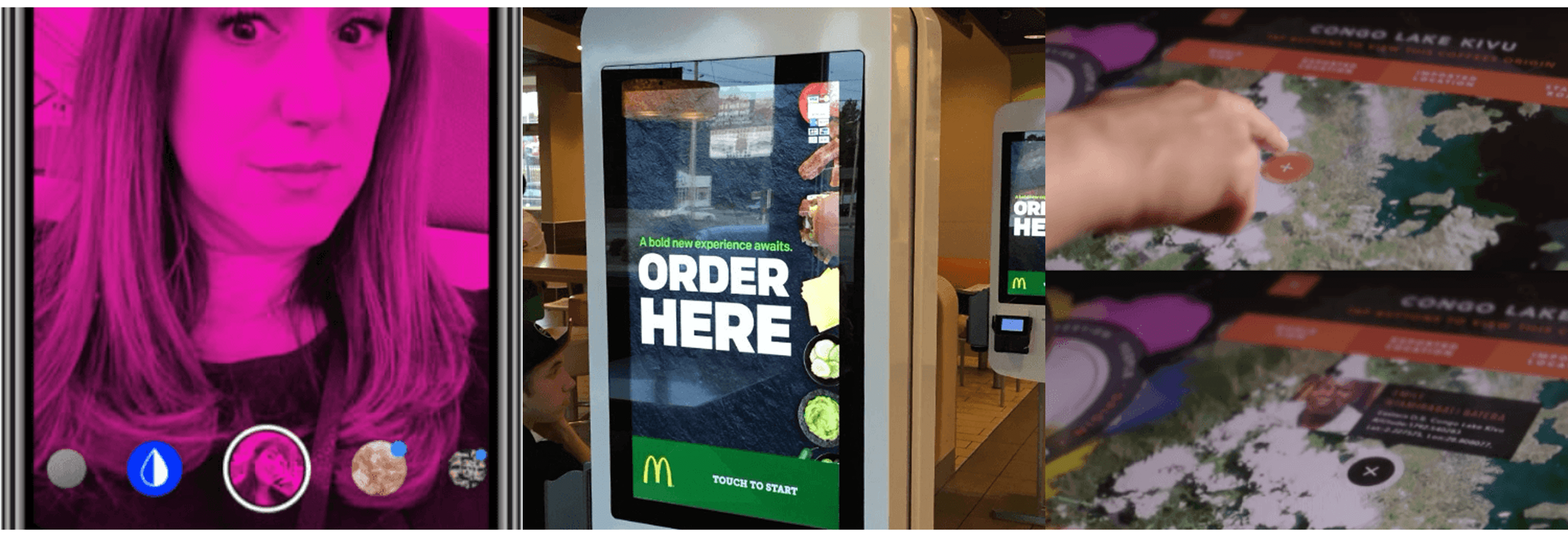
From left to right: Instagram's AR filters, Mcdonald's touch interface system and Starbucks' Touch table explorer
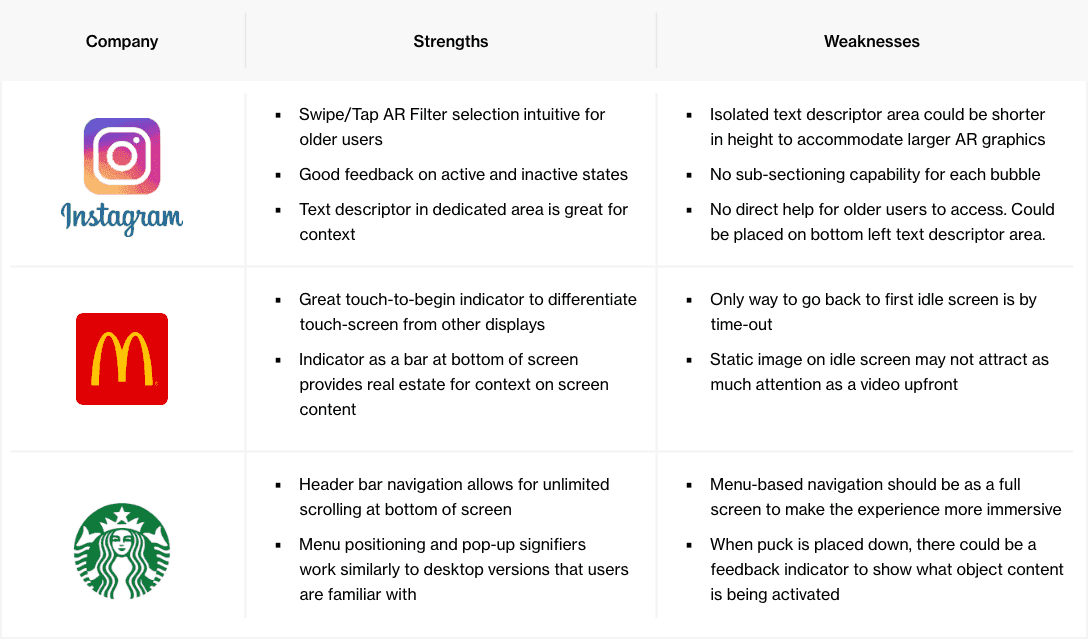
Cross-referencing what these companies were doing right and what we could learn from
Research & analysis
What matters to the business
As this was a project involving multiple products, it was important for us to gather as much information as possible about its progress. To do this, we consulted with various departments such as Marketing, Digital, Electric Vehicle, and Sustainability.
By speaking with these teams, we were able to get a better sense of how the project was progressing and how each product fit into the larger picture. This helped us make informed decisions about the direction of the project and it's needs to ensure that it was on track to meet its goals.
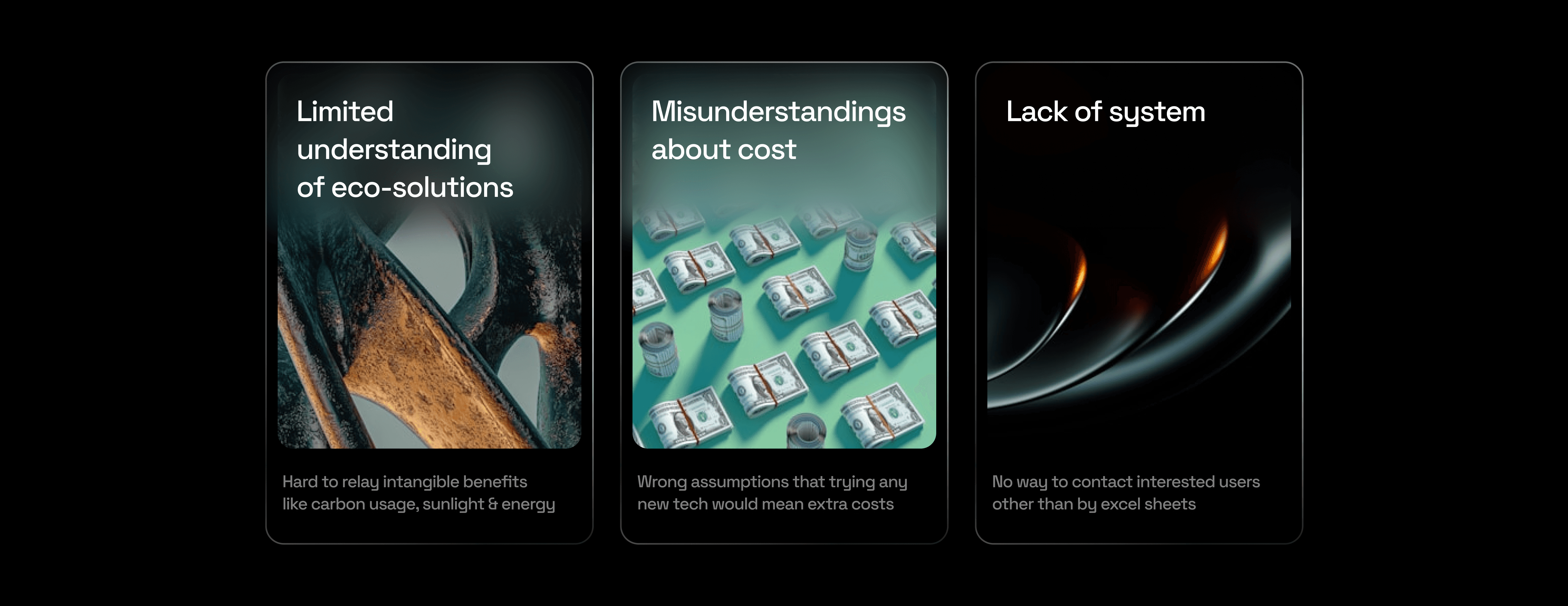
The main issues that were impeding SP Group from achieving its goals
Research & analysis
What the users thought
Next off, we sifted through their previous research findings and went ahead to interview 10 different potential BTO participants.
72% of them were unaware of eco-tech
A further 24% of this participants don't see the benefit of living in an eco-town. Despite this, majority recognised the importance of being environmentally conscious.
95% of them couldn't understand centralised cooling
Of this 82% didn't even know such a technology existed. As predicted by the business and sales team, this lack of understanding was aligned with their current expectations.
Problem definition
Visualising the end-user
The user interviews conducted above sort of blew our minds with unexpected findings. From there, we took a systematic approach to create an affinity map to split the findings between soon-to-be Tengah residents, and the casual browser. Then we dived deeper through user personas and a journey map to empathise with their needs at each stage.
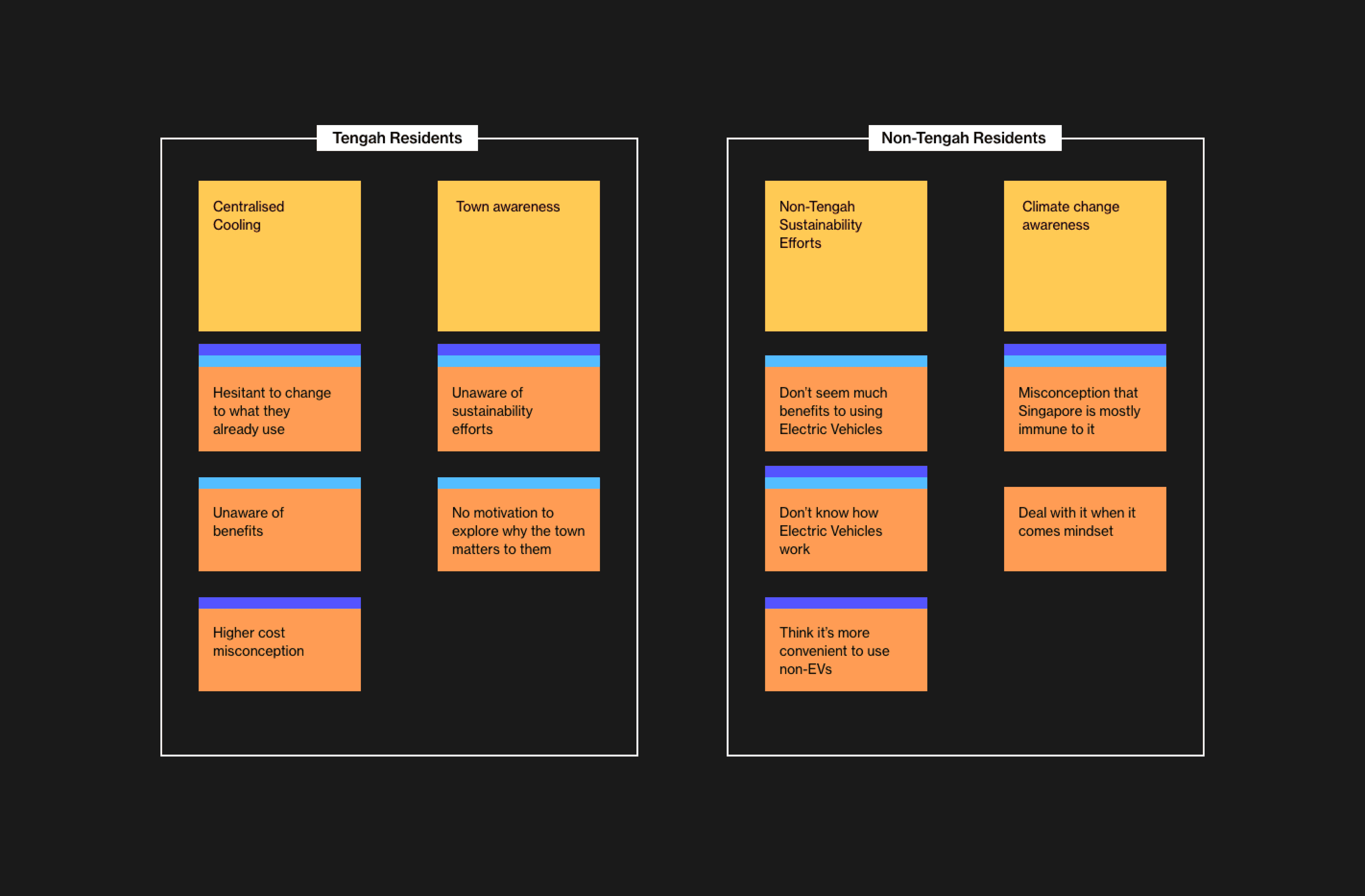
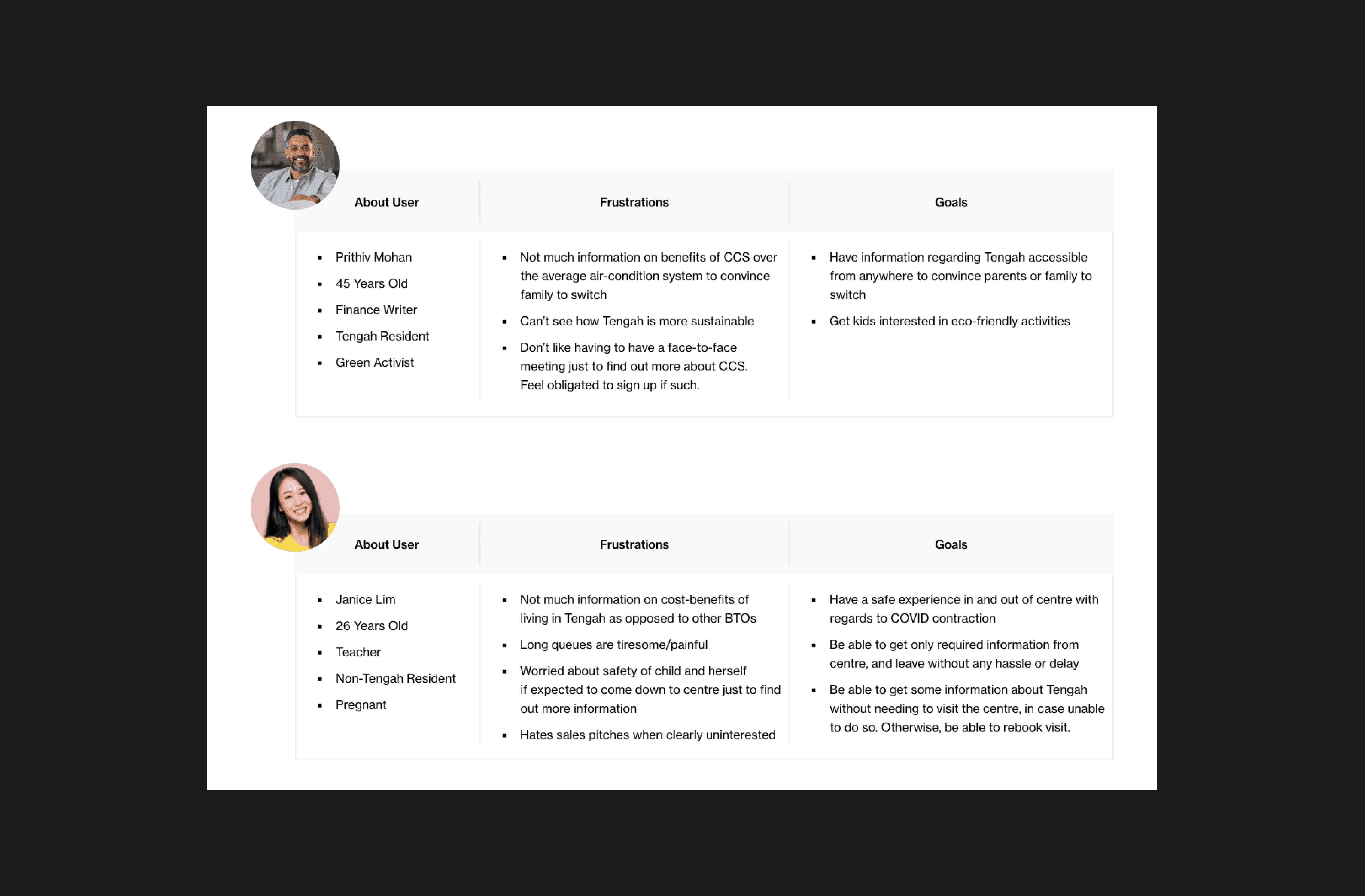
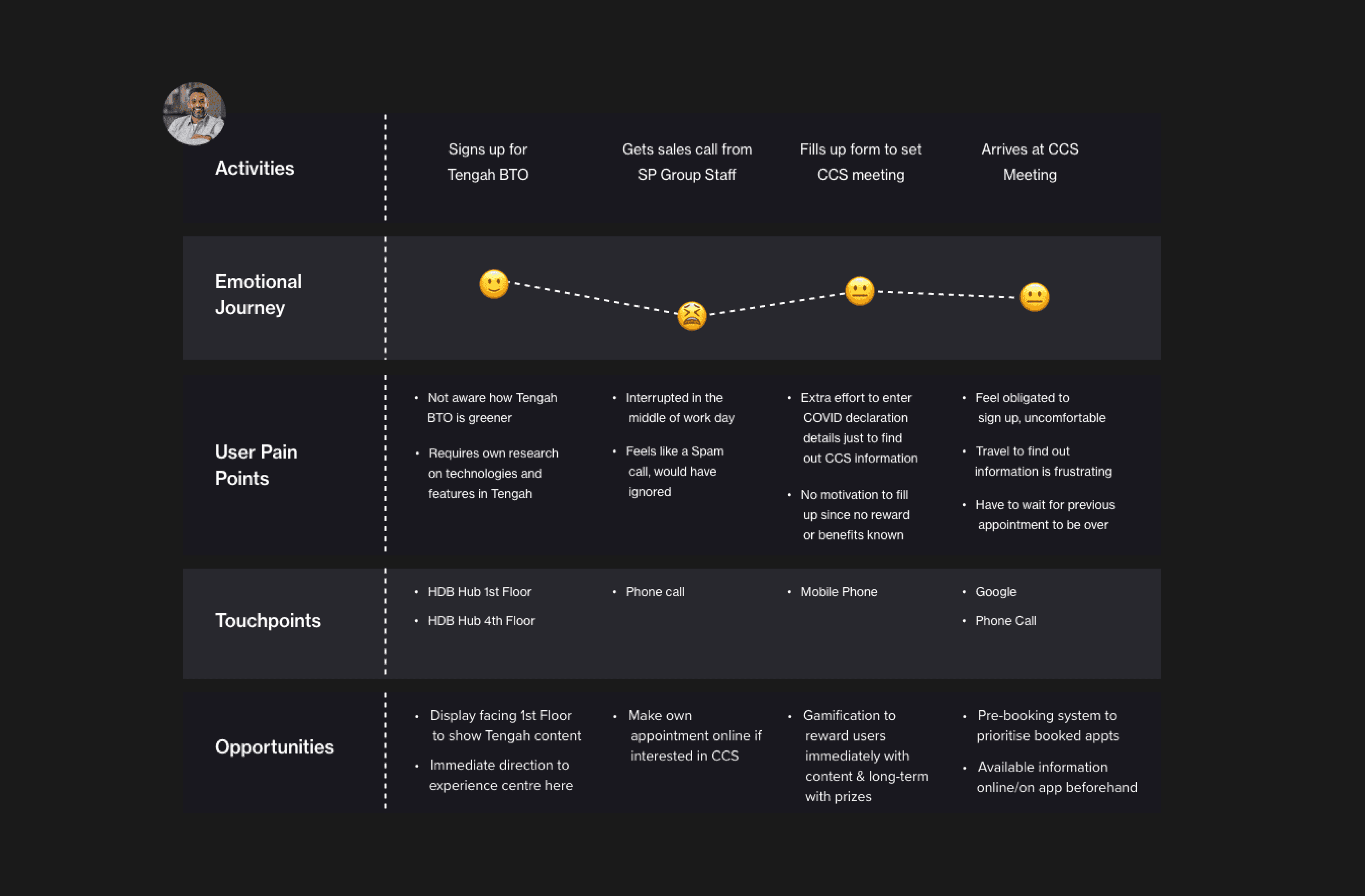
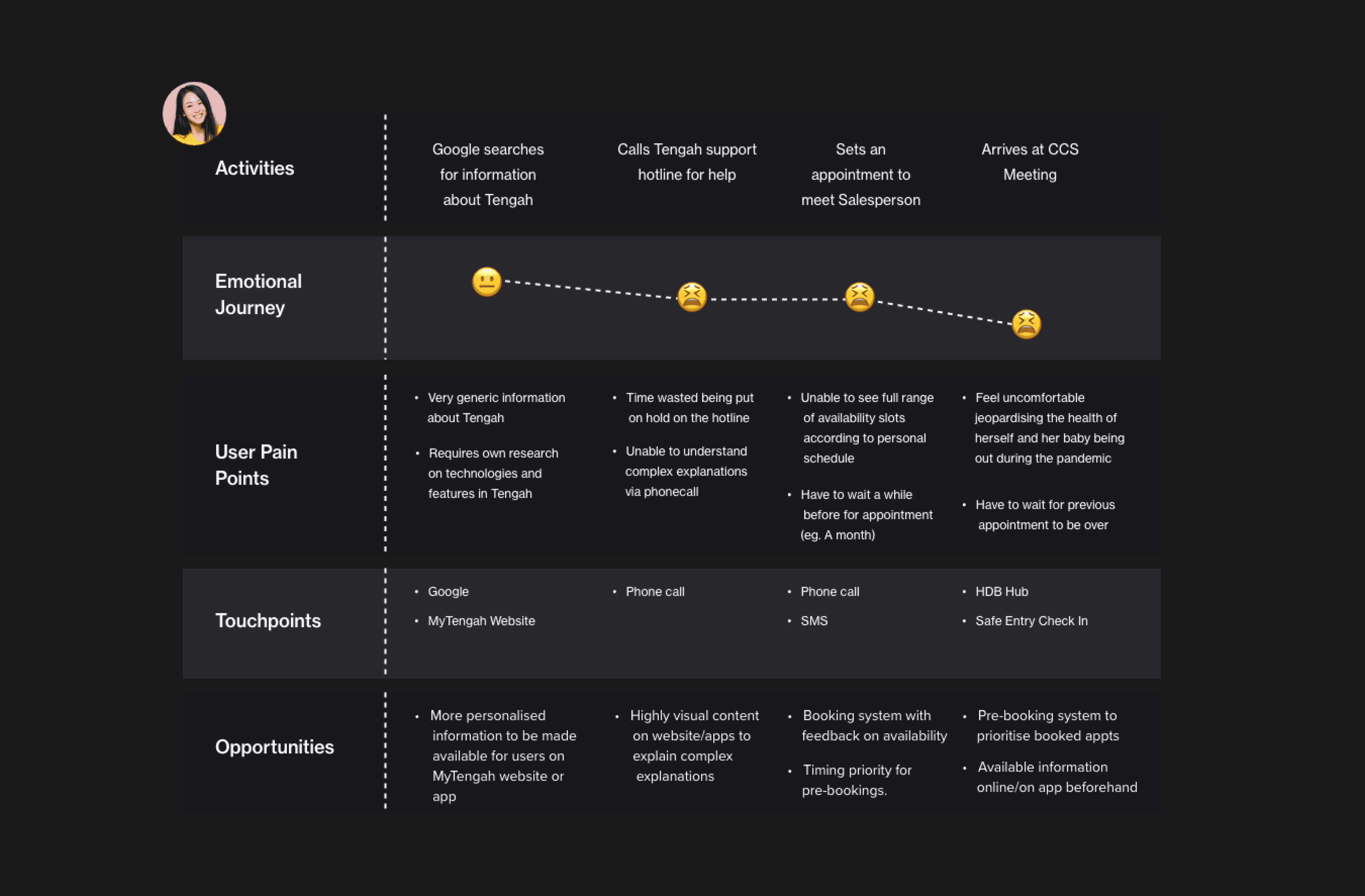
Problem definition
The physical journey
We worked together with the architecture team to design a point-by-point journey through the centre that educated the user about Tengah in a bite-sized manner. The tactic was to split the centre into 3 zones: Zone 1: Attract & Inspire Zone 2: Inform & Engage Zone 3: Establish
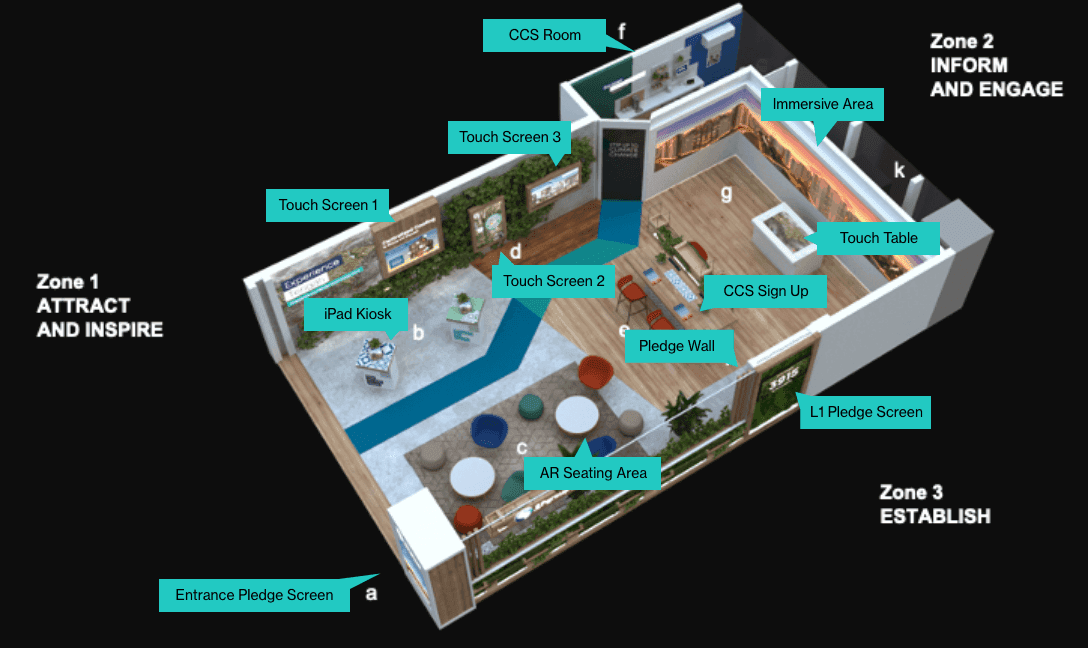
Preview shot of the zoning around the centre
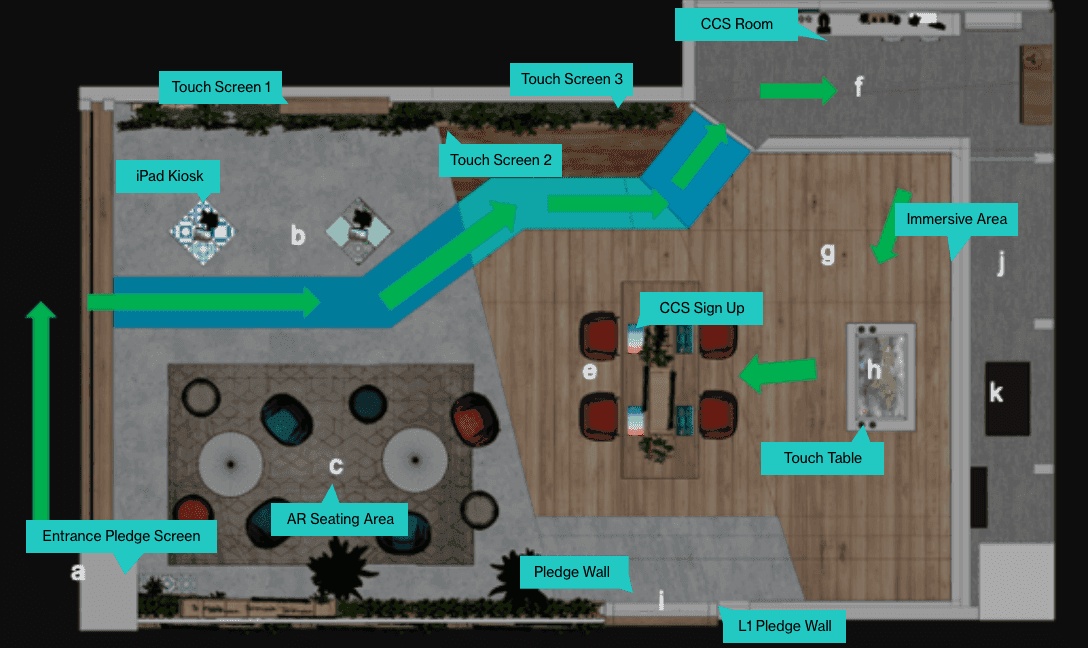
Top down view with recommended journey in green arrows
Problem definition
Service Blueprint
To create the service blueprint, we first mapped out the interactions and flow between each touchpoint in a customer's journey. We then prototyped the full user journey to visualize the micro-interactions and identify any potential friction points. This process helps developers understand the desired user experience and can reduce issues during development and testing.
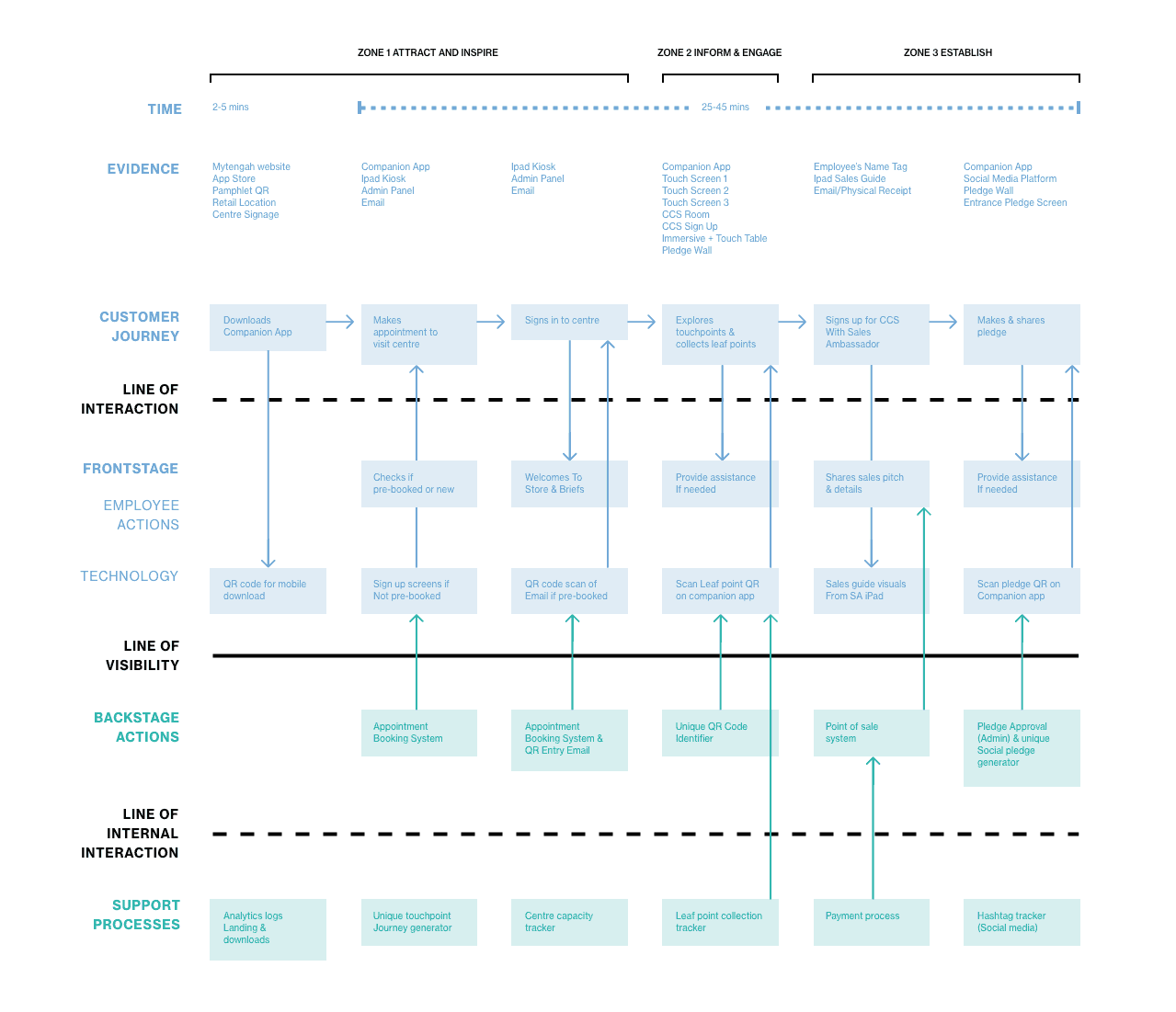
Service blueprint of the full experience behind the experience centre
Product development
Clarity with sitemaps
To ensure that the flow of information in the project was coherent and logical, we decided to create a full schematic of its information architecture. This was necessary because of the extent of the project and the multiple touchpoints involved. By mapping out the information architecture, we could make sure that the flow of information made sense and was easy for users to follow.
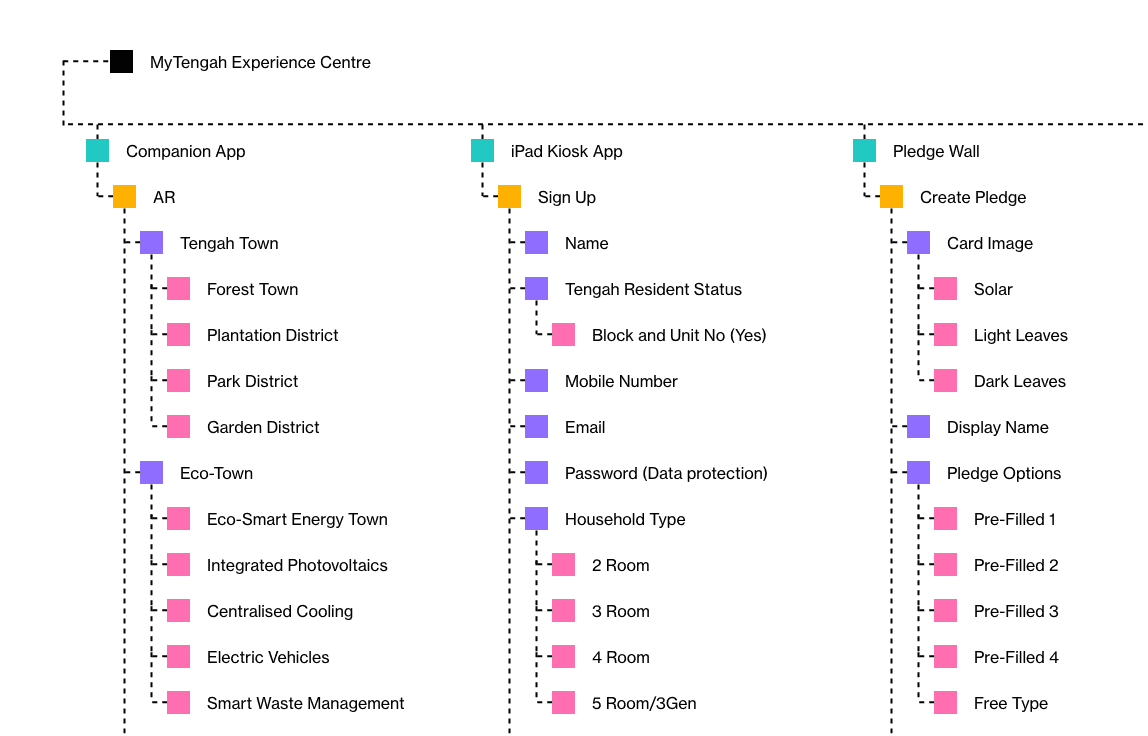
The information architecture behind every touchpoint
Product development
Time to sketch away
Before we dove headfirst into the project, we all got together and sketched out each touchpoint on paper. We did this to make sure everyone was on the same page about what we could feasibly include in the project from the get-go.
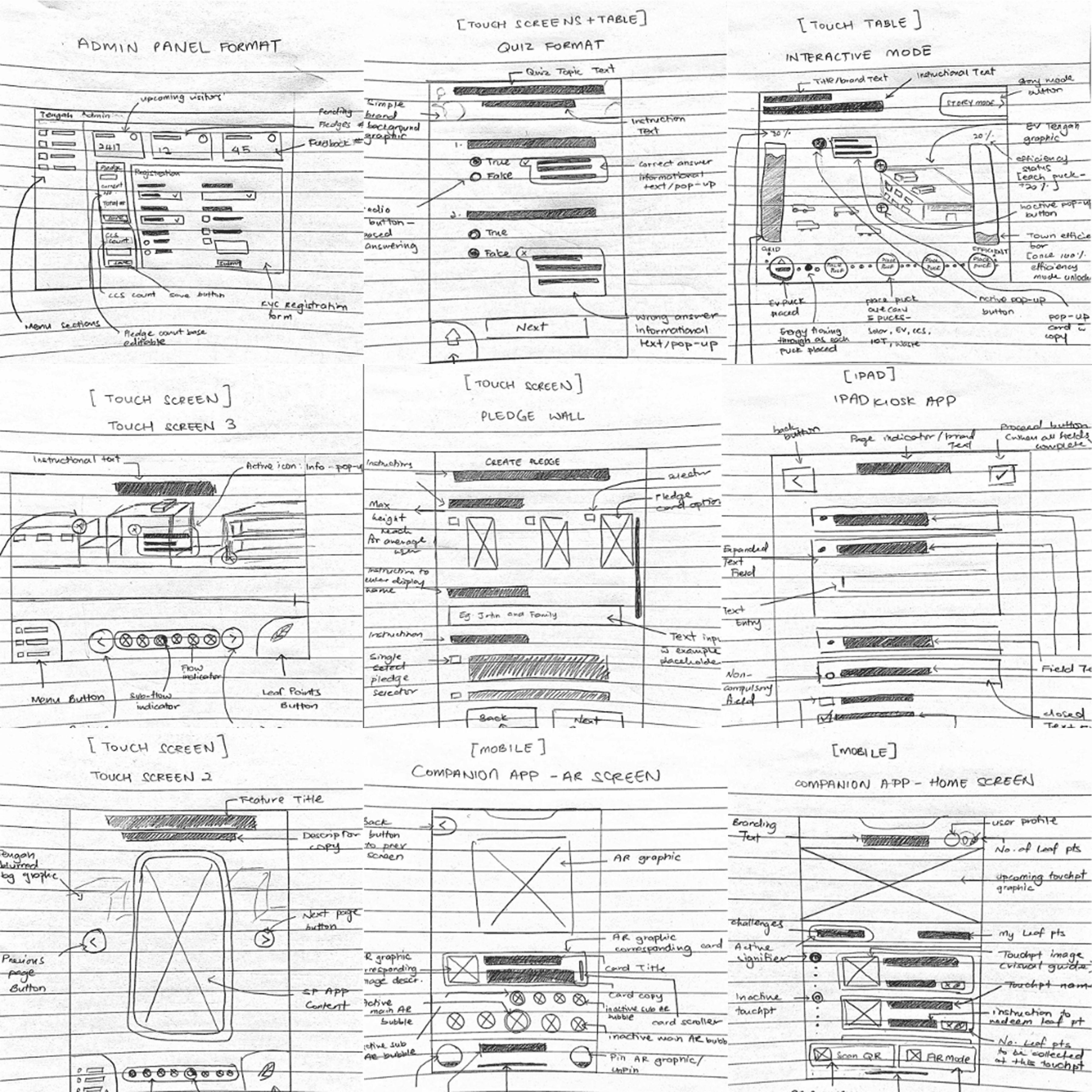
Chaotic collaborative quick sketches behind each touchpoint
Product development
Testing concepts with lo-fi
To make sure we were keeping the end-user front and center, we whipped up some basic wireframes for each touchpoint and had the focus group try them out. We wanted to see if they could easily get things done and find important features. Plus, we wanted their thoughts on how we could make their experience with our products even better.
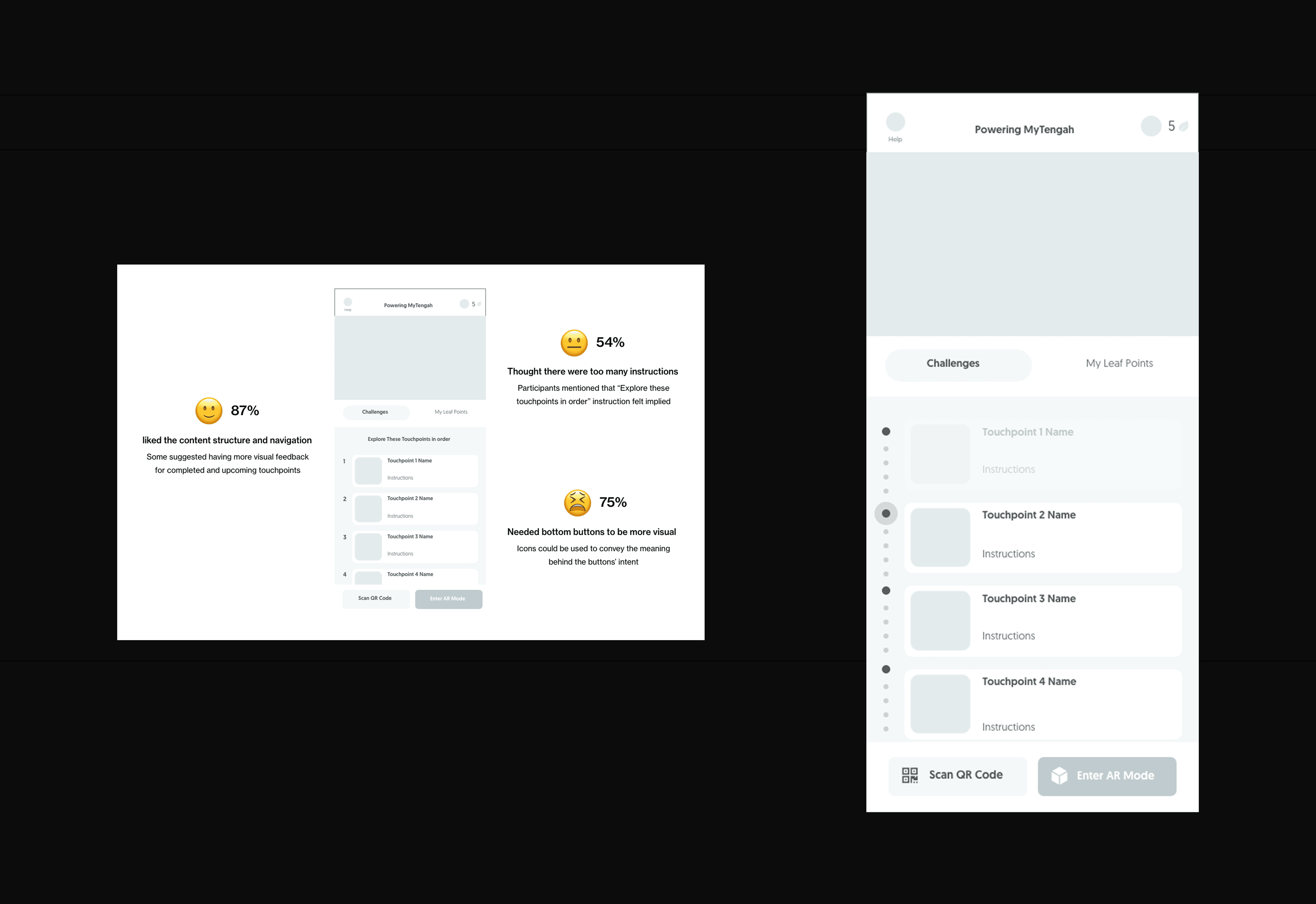
Mobile app first pass with accompanying user feedback. Iterated version on the right.
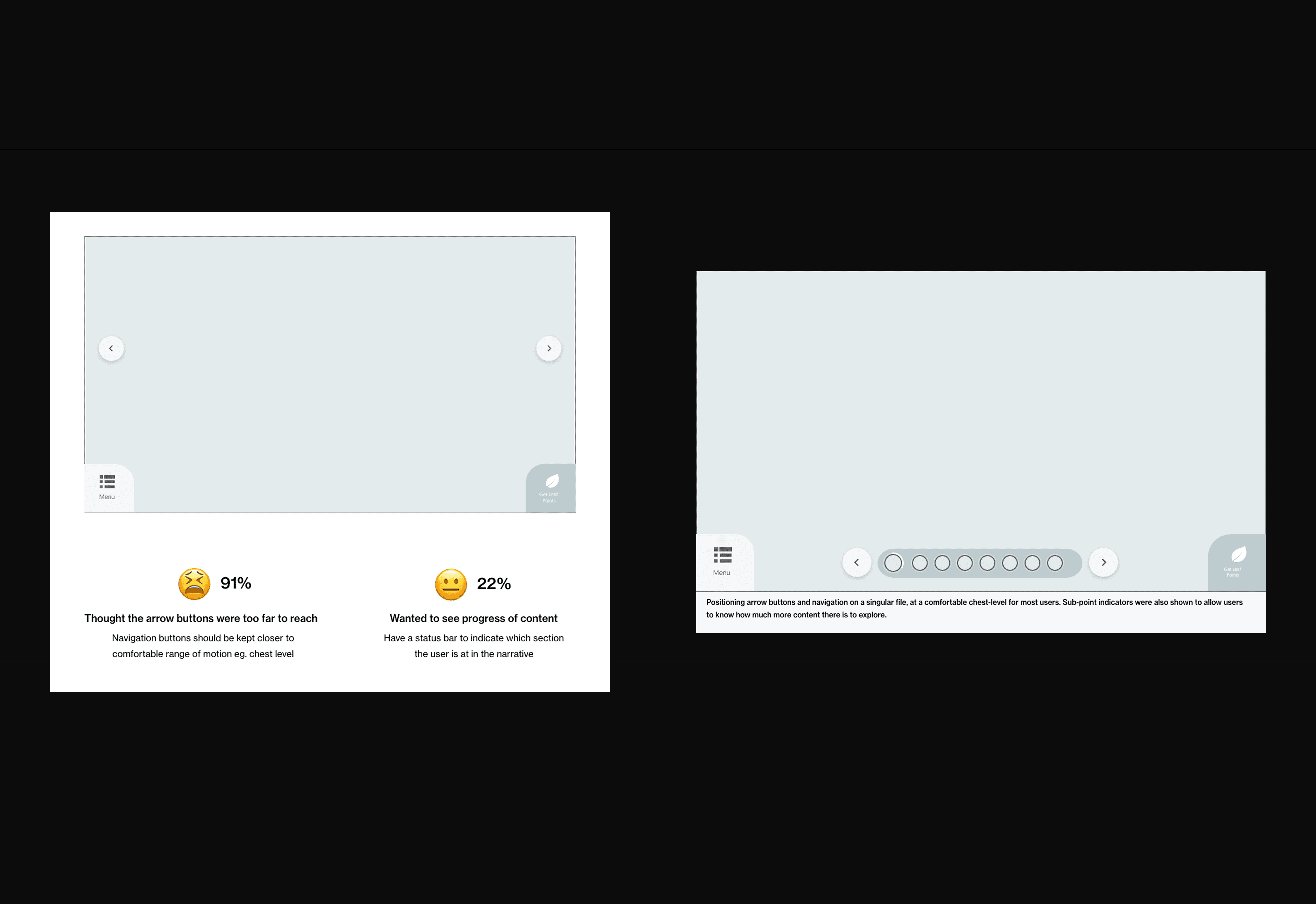
Touch screens first pass with accompanying user feedback. Iterated version on the right.
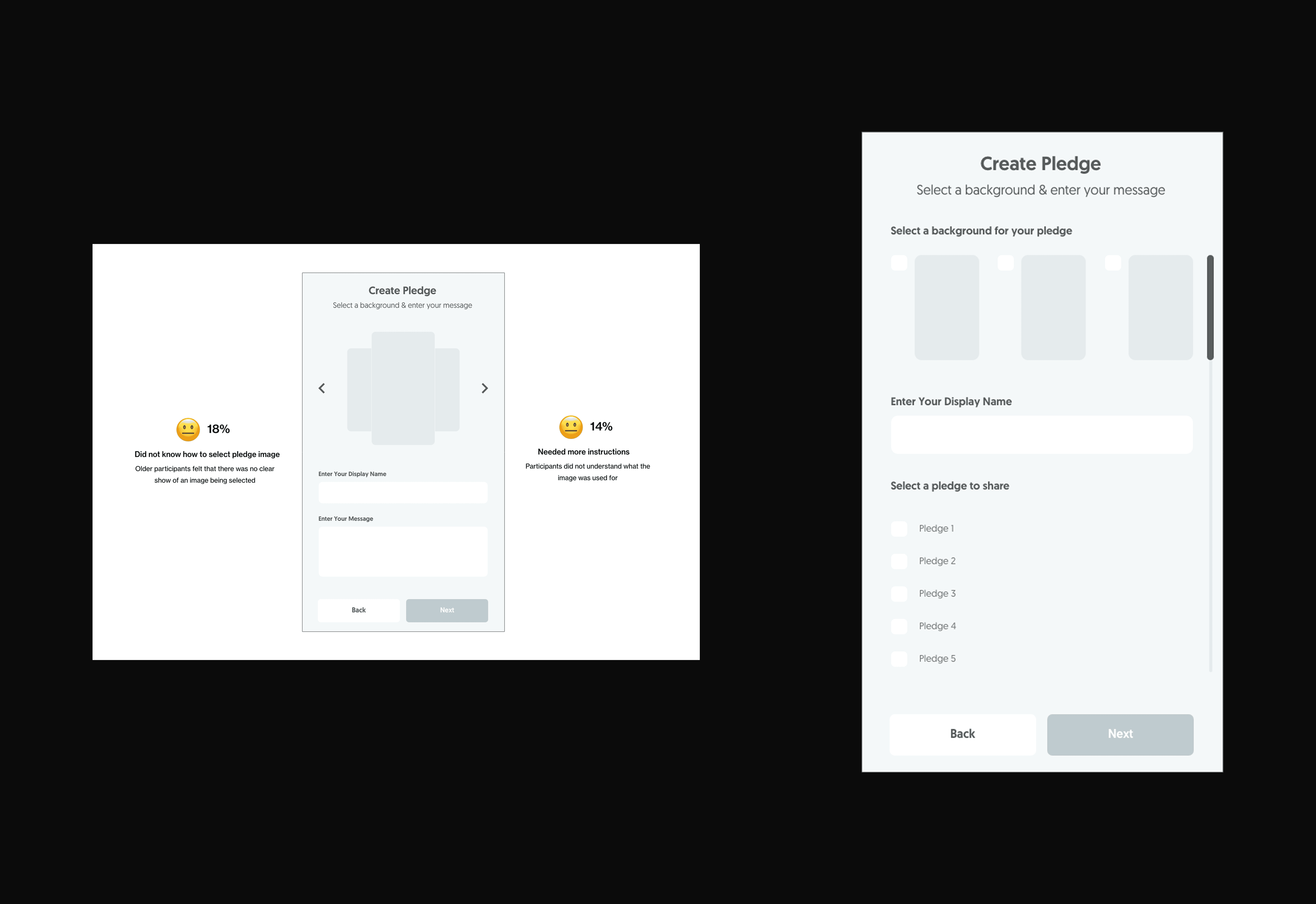
Pledge screen first pass with accompanying user feedback. Iterated version on the right.
Product development
Alignment with user flows
To kickstart the development team, we sent them the low-fidelity wireframes so they could get a sense of what features were necessary. Then, we gave them a basic box-style user flow to help them understand how all the screens would fit together. Once that was done, we built the full-scale prototype and handed over the complete user flow for them to reference easily as they built the project.
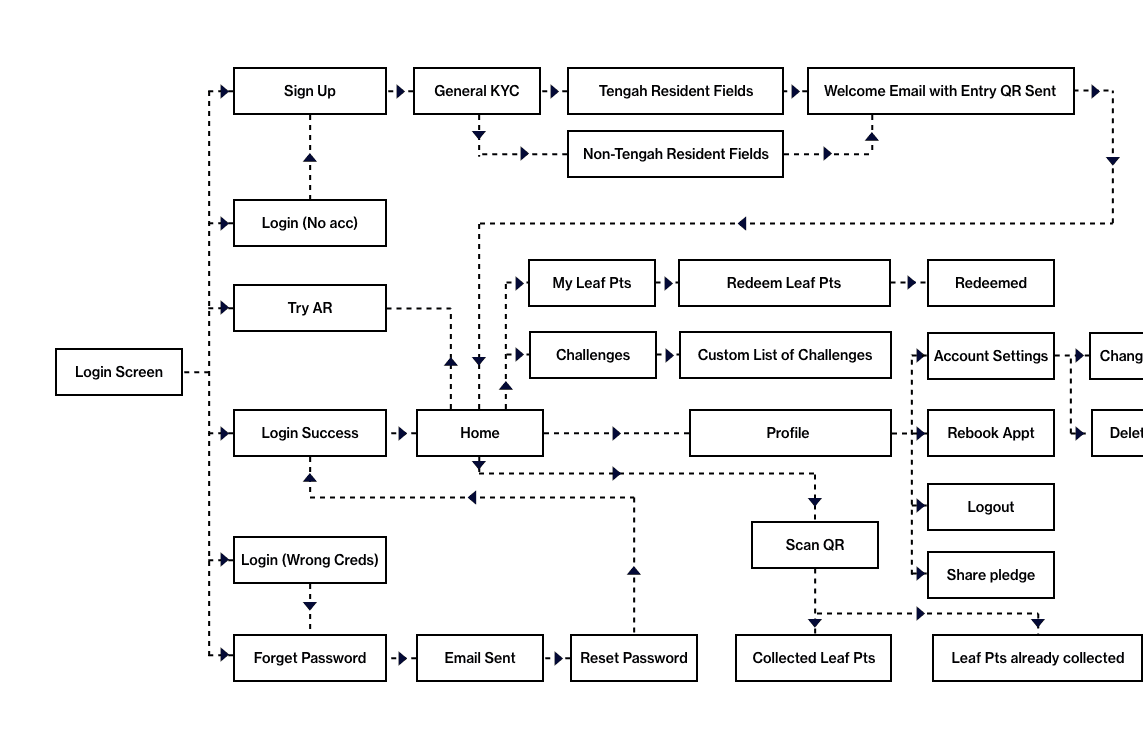
Overarching user flow of the experience centre. There's a recommeneded journey but users are able to freely roam too.
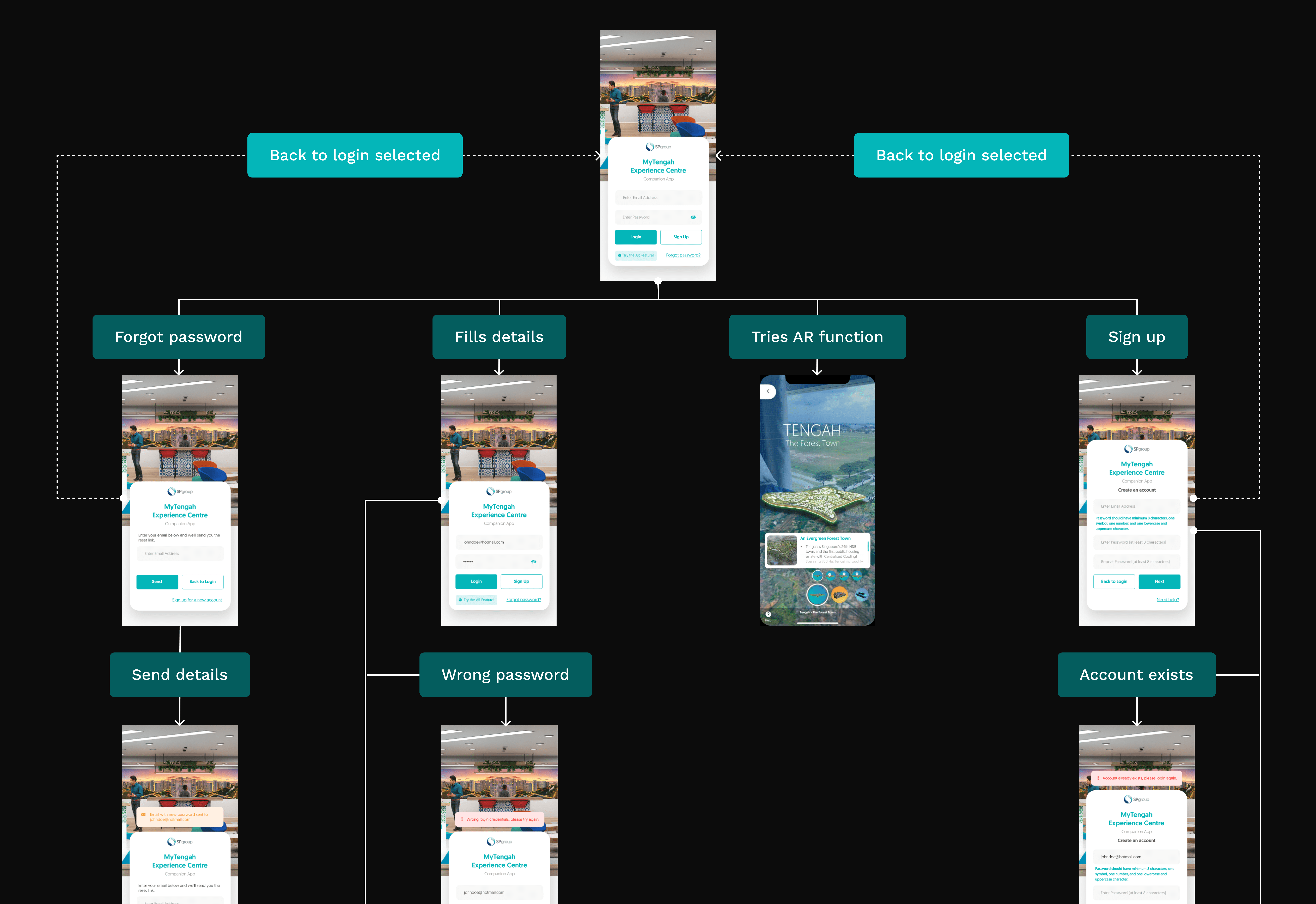
Mobile app detailed user flow
Product development
High five to our high-fis
At long last, everything came together smoothly. It was incredible seeing the intricacies of each point in the experience coming together in such a tangible way.

From left: AR Companion app, Touch table, Entry management system

From left: Pledge screen, Centralised cooling interactive educator, Interactive power usage board
The results
Despite the unforeseen challenges behind COVID and the physical visitation limitations, we still managed to hit a big home-run with the experience centre. From the initial focus group sentiment of only 24% of participants wanting to sign up for centralised cooling, our socks were knocked off when we saw the interest for the CCS system after their visit to the experience centre.
90% Sign ups
For centralised cooling systems in their homes
This was a huge win from the previous rate of just 24%
Mentioned by the PM
and Bloomberg amongst other news platforms
The project was featured by then-Prime Minister Lee Hsien Loong and gained coverage from Bloomberg, Channel NewsAsia, and Channel 8.
From left: Feature from Bloomberg, Prime Minister's Facebook mention

From left: Feature from Bloomberg, Prime Minister's Facebook mention

From left: Straits Times Feature, CNA feature